> ## Documentation Index
> Fetch the complete documentation index at: https://velt.dev/docs/llms.txt
> Use this file to discover all available pages before exploring further.

# Confirmation Dialog

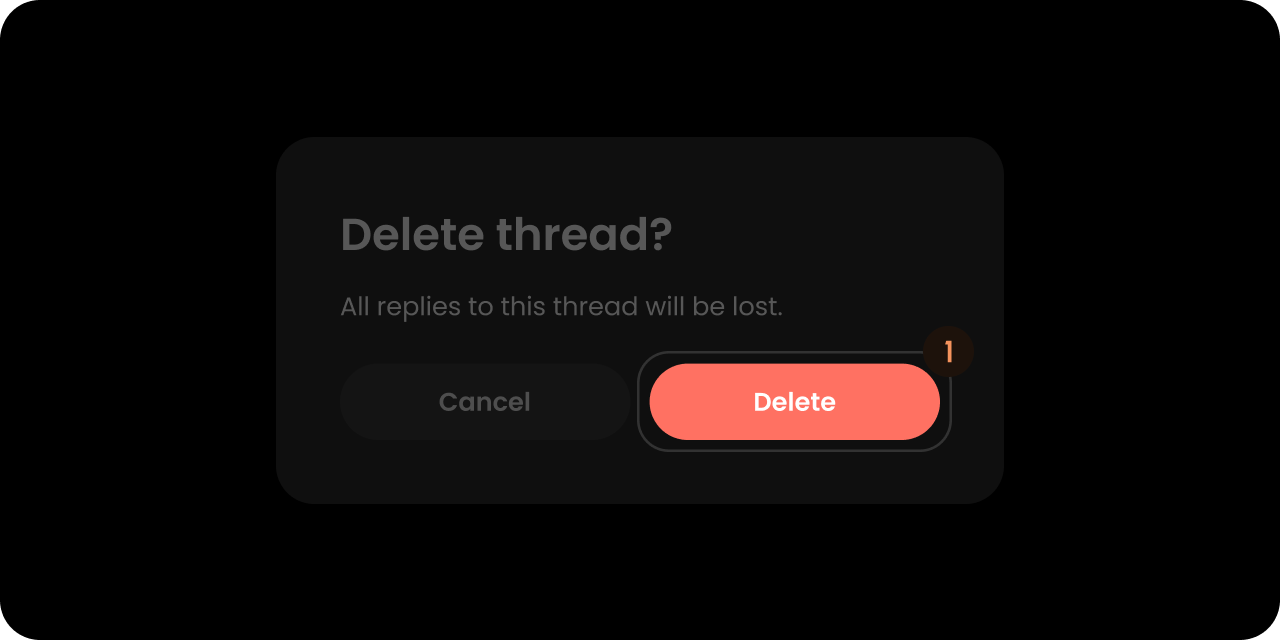
> The Confirmation Dialog that appears when you delete a comment annotation.

<Note>
  We recommend that you familiarize yourselves with [UI Customization Concepts](/docs/ui-customization/overview) before attempting to modify any components.
</Note>

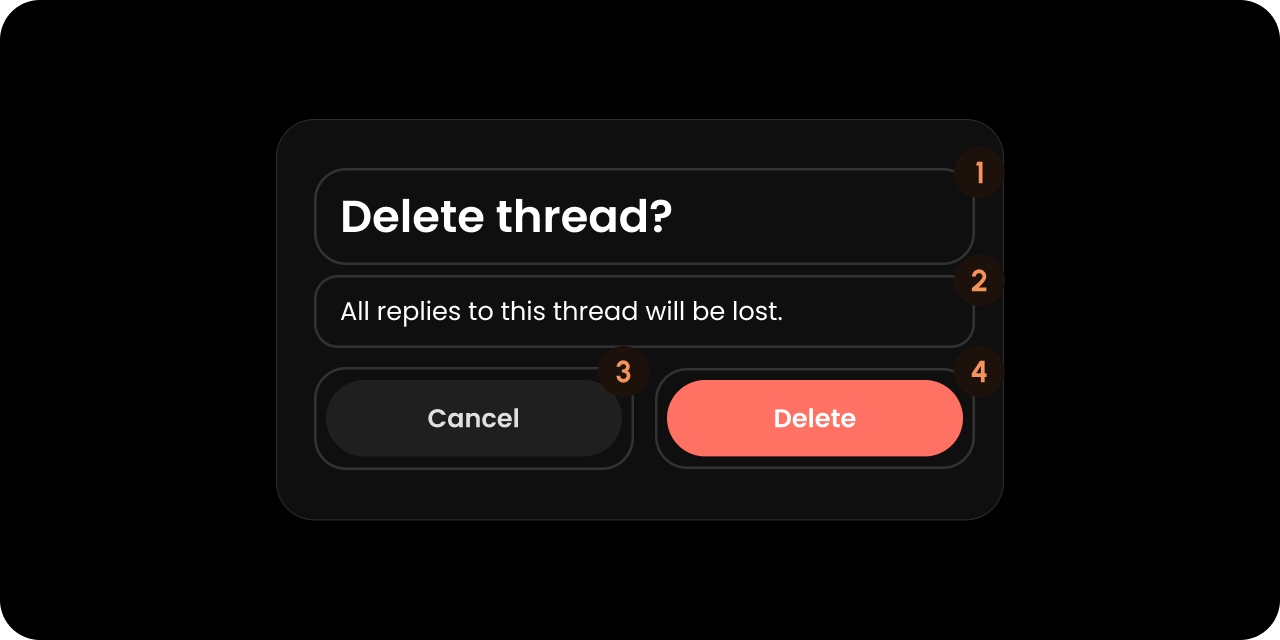
## VeltConfirmDialogWireframe

<img src="https://mintcdn.com/velt/2O8vk8YlVD4Kq-ni/images/customization/comments/confirmation-dialog/confirm-dialog-overview.png?fit=max&auto=format&n=2O8vk8YlVD4Kq-ni&q=85&s=261dc5a41b0a418c1ebc252094f091e9" alt="" width="1280" height="640" data-path="images/customization/comments/confirmation-dialog/confirm-dialog-overview.png" />

<Tabs>
  <Tab title="React / Next.js">
    ```jsx theme={null}
    <VeltWireframe>
        <VeltConfirmDialogWireframe>
            <VeltConfirmDialogWireframe.Title />
            <VeltConfirmDialogWireframe.Message />
            <VeltConfirmDialogWireframe.Preview />
            <VeltConfirmDialogWireframe.RejectButton />
            <VeltConfirmDialogWireframe.ApproveButton />
        </VeltConfirmDialogWireframe>
    </VeltWireframe>
    ```
  </Tab>

  <Tab title="Other Frameworks">
    ```html theme={null}
    <velt-wireframe style="display:none;">
        <velt-confirm-dialog-wireframe>
            <velt-confirm-dialog-title-wireframe></velt-confirm-dialog-title-wireframe>
            <velt-confirm-dialog-message-wireframe></velt-confirm-dialog-message-wireframe>
            <velt-confirm-dialog-preview-wireframe></velt-confirm-dialog-preview-wireframe>
            <velt-confirm-dialog-reject-button-wireframe></velt-confirm-dialog-reject-button-wireframe>
            <velt-confirm-dialog-approve-button-wireframe></velt-confirm-dialog-approve-button-wireframe>
        </velt-confirm-dialog-wireframe>
    </velt-wireframe>
    ```
  </Tab>
</Tabs>

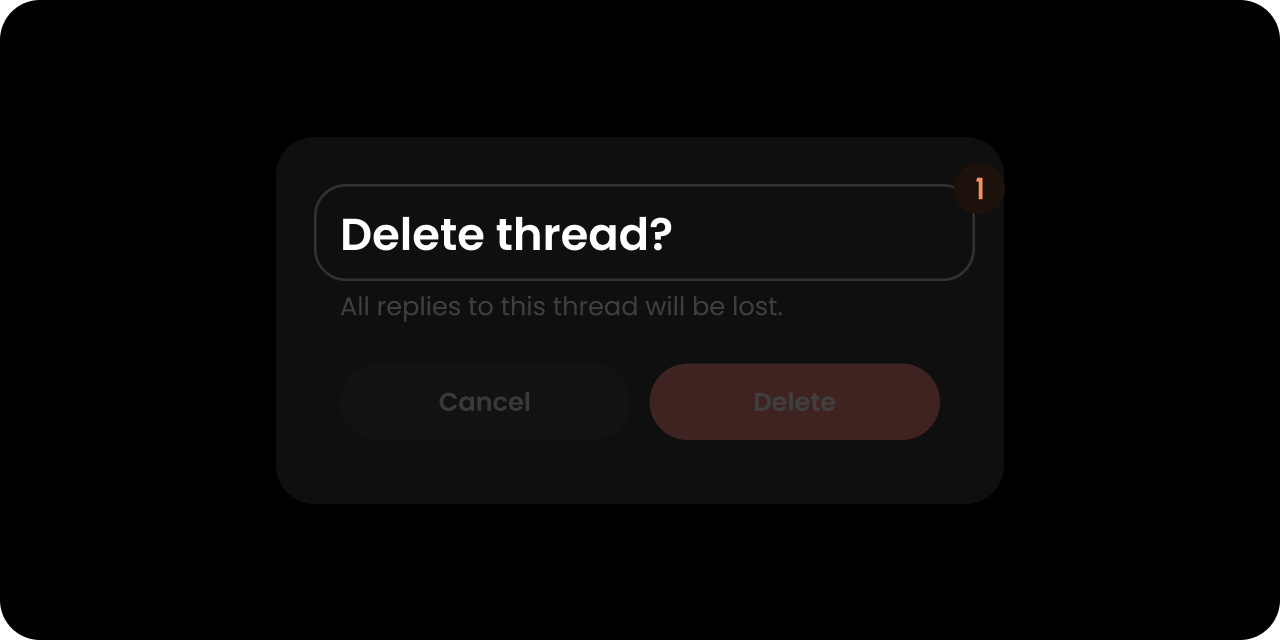
## Title

<img src="https://mintcdn.com/velt/2O8vk8YlVD4Kq-ni/images/customization/comments/confirmation-dialog/confirm-dialog-title.png?fit=max&auto=format&n=2O8vk8YlVD4Kq-ni&q=85&s=3f89bc58a549dc14857857181555c51f" alt="" width="1280" height="640" data-path="images/customization/comments/confirmation-dialog/confirm-dialog-title.png" />

<Tabs>
  <Tab title="React / Next.js">
    ```jsx theme={null}
    <VeltWireframe>
        <VeltConfirmDialogWireframe.Title />
    </VeltWireframe>
    ```
  </Tab>

  <Tab title="Other Frameworks">
    ```html theme={null}
    <velt-wireframe style="display:none;">
        <velt-confirm-dialog-title-wireframe></velt-confirm-dialog-title-wireframe>
    </velt-wireframe>
    ```
  </Tab>
</Tabs>

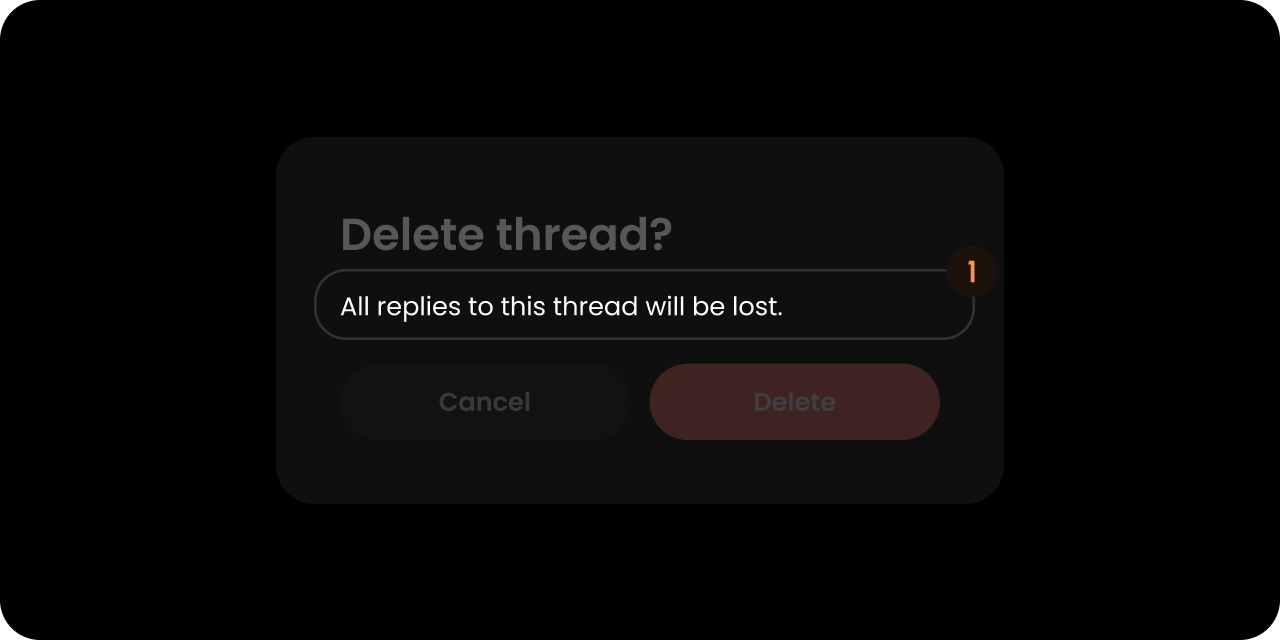
## Message

<img src="https://mintcdn.com/velt/2O8vk8YlVD4Kq-ni/images/customization/comments/confirmation-dialog/confirm-dialog-message.png?fit=max&auto=format&n=2O8vk8YlVD4Kq-ni&q=85&s=ab0ef7b073d0918a30e44183305c1b96" alt="" width="1280" height="640" data-path="images/customization/comments/confirmation-dialog/confirm-dialog-message.png" />

<Tabs>
  <Tab title="React / Next.js">
    ```jsx theme={null}
    <VeltWireframe>
        <VeltConfirmDialogWireframe.Message />
    </VeltWireframe>
    ```
  </Tab>

  <Tab title="Other Frameworks">
    ```html theme={null}
    <velt-wireframe style="display:none;">
        <velt-confirm-dialog-message-wireframe></velt-confirm-dialog-message-wireframe>
    </velt-wireframe>
    ```
  </Tab>
</Tabs>

## Preview

<Note>
  Renders only in the [`draftConfirmation`](/docs/async-collaboration/comments/customize-behavior#draftconfirmation) popup, where it shows a quoted preview of the unsent draft content. It is empty on every other confirm dialog (comment, area, arrow, tag, and recorder deletes).
</Note>

<Tabs>
  <Tab title="React / Next.js">
    ```jsx theme={null}
    <VeltWireframe>
        <VeltConfirmDialogWireframe.Preview />
    </VeltWireframe>
    ```
  </Tab>

  <Tab title="Other Frameworks">
    ```html theme={null}
    <velt-wireframe style="display:none;">
        <velt-confirm-dialog-preview-wireframe></velt-confirm-dialog-preview-wireframe>
    </velt-wireframe>
    ```
  </Tab>
</Tabs>

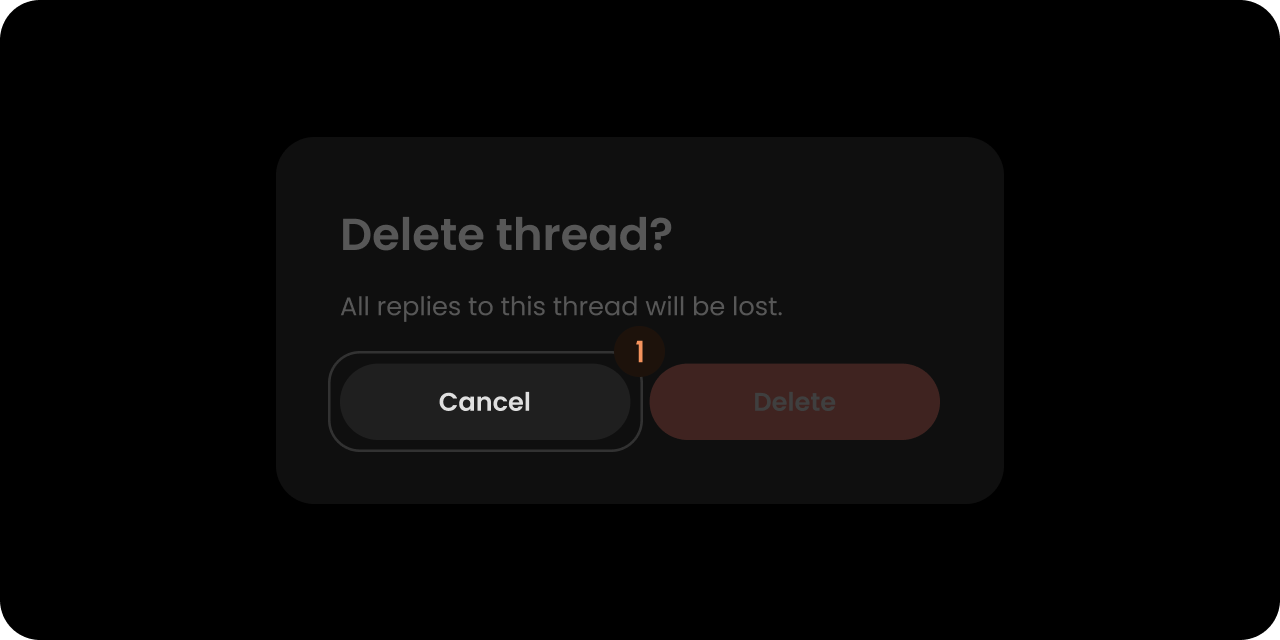
## RejectButton

<img src="https://mintcdn.com/velt/2O8vk8YlVD4Kq-ni/images/customization/comments/confirmation-dialog/confirm-dialog-reject.png?fit=max&auto=format&n=2O8vk8YlVD4Kq-ni&q=85&s=8e4496b75f6b71ad95a3e716a945d8f3" alt="" width="1280" height="640" data-path="images/customization/comments/confirmation-dialog/confirm-dialog-reject.png" />

<Tabs>
  <Tab title="React / Next.js">
    ```jsx theme={null}
    <VeltWireframe>
        <VeltConfirmDialogWireframe.RejectButton />
    </VeltWireframe>
    ```
  </Tab>

  <Tab title="Other Frameworks">
    ```html theme={null}
    <velt-wireframe style="display:none;">
        <velt-confirm-dialog-reject-button-wireframe></velt-confirm-dialog-reject-button-wireframe>
    </velt-wireframe>
    ```
  </Tab>
</Tabs>

## ApproveButton

<img src="https://mintcdn.com/velt/2O8vk8YlVD4Kq-ni/images/customization/comments/confirmation-dialog/confirm-dialog-approve.png?fit=max&auto=format&n=2O8vk8YlVD4Kq-ni&q=85&s=09e890270605f21181f26436a2a7070b" alt="" width="1280" height="640" data-path="images/customization/comments/confirmation-dialog/confirm-dialog-approve.png" />

<Tabs>
  <Tab title="React / Next.js">
    ```jsx theme={null}
    <VeltWireframe>
        <VeltConfirmDialogWireframe.ApproveButton />
    </VeltWireframe>
    ```
  </Tab>

  <Tab title="Other Frameworks">
    ```html theme={null}
    <velt-wireframe style="display:none;">
        <velt-confirm-dialog-approve-button-wireframe></velt-confirm-dialog-approve-button-wireframe>
    </velt-wireframe>
    ```
  </Tab>
</Tabs>

## Styling

### Disable ShadowDOM

ShadowDOM is not used in this component. You can apply your styling directly to the component.

### Dark Mode

This component takes the dark mode property from the parent feature (e.g., comments) where this is used.
If the parent feature component is in dark mode, this component will also be in dark mode.

### Type-Scoped CSS Classes

When the confirm dialog is shown, a modifier class is added to the root element based on the `type` prop (see [`ConfirmDialogComponentConfig`](/docs/api-reference/sdk/models/data-models#confirmdialogcomponentconfig)):

* `velt-confirm-dialog` — always present (base class)
* `velt-confirm-dialog--comment` — added automatically when deleting a comment
* `velt-confirm-dialog--reply` — added automatically when deleting a reply
* `velt-confirm-dialog--{type}` — general form for any custom `type` string (e.g., `archive`, `mention`)
* `velt-confirm-dialog--draft` — added automatically when the [`draftConfirmation`](/docs/async-collaboration/comments/customize-behavior#draftconfirmation) popup shows
* No modifier class is added when `type` is omitted or empty

```css theme={null}
/* Style the delete-comment confirmation differently from delete-reply */
.velt-confirm-dialog--comment { /* ... */ }
.velt-confirm-dialog--reply   { /* ... */ }
```


This documentation is built and hosted on [Mintlify](https://mintlify.com), a developer documentation platform.