

What is a Commenting SDK? A Complete Guide (March 2026)
Learn what a commenting SDK is and how it adds Figma-style in-app comments to your product in days. Compare SDK vs API vs build-from-scratch. March 2026.
A commenting SDK lets you easily add in-app commenting, like in Figma or Google Docs, to your product. You can let users start threaded chats on top of text, designs, video frames, or data points while skipping months of backend effort. In this guide, we walk through how a commenting SDK works, what to look for, and why it is now a favorite shortcut for product teams that want collaborative features.
TLDR:
- A commenting SDK handles all the hard real-time infrastructure + UI components so you can roll out in-app async comments in days.
- Features include text highlights, canvas pins, spreadsheet cells, video timestamps, and more.
- The best ones add presence, notifications, screen recording, and calls for a full collaboration stack.
- Velt ships all of the above with React-ready components, a complete API, and optional self-hosting for data.
Why modern products need in-context discussion
Teams spend too much time copying URLs into chat apps and guessing which version of a file a teammate meant. In-app comments fix that friction. When feedback lives beside the thing under review, everyone stays on the same page.
Key gains for both users and builders
- Faster review loops: a reviewer clicks a highlight or pin and replies right away.
- A living audit trail: the chat sits inside the doc forever, so newcomers see past choices.
- Higher stickiness: people return to your product when the talk happens there instead of on Slack.
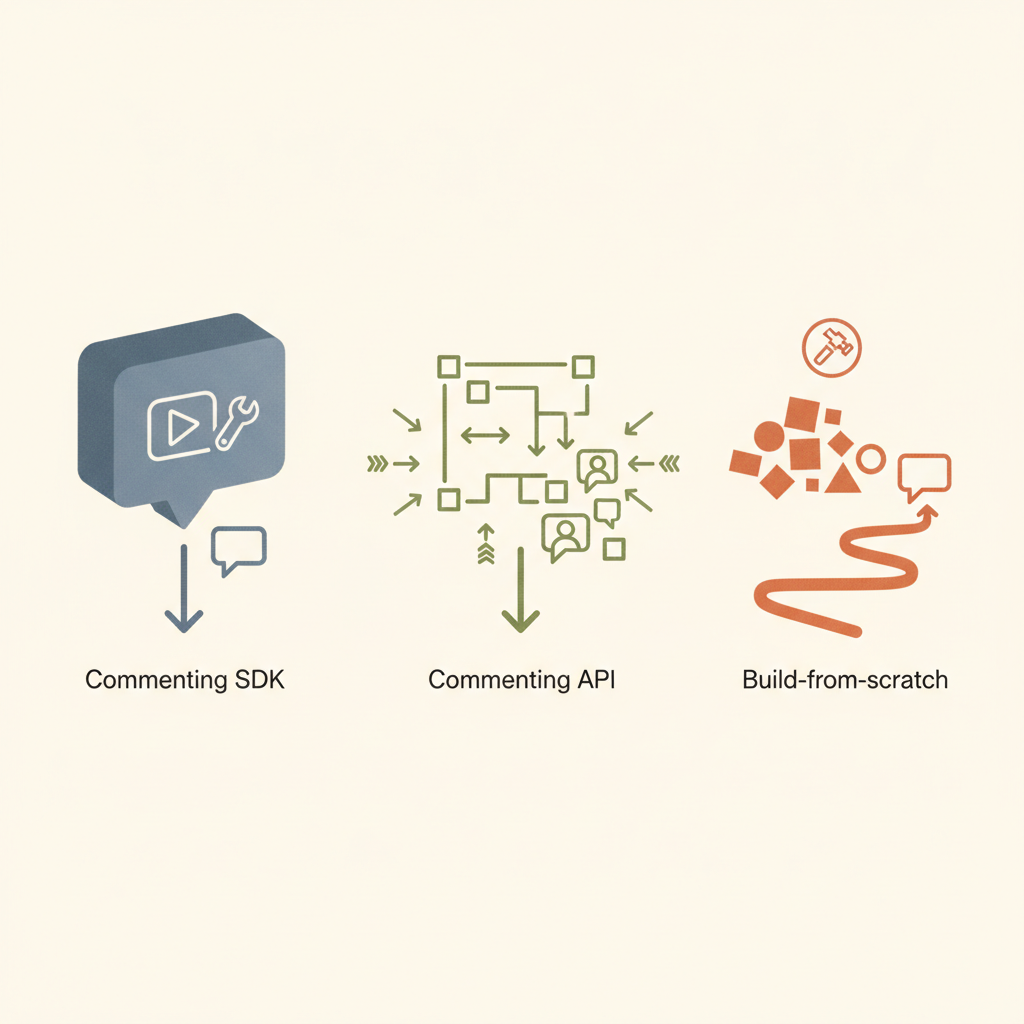
Commenting SDK vs Commenting API vs Build-from-scratch
| Path | What you get | Time to Build | Ongoing burden |
|---|---|---|---|
| DIY | Full control over every thing | 3-6+ months | You own every bug and migration |
| Commenting API | Backend API endpoints only | 2-4 weeks | You still craft UI, websockets, anchoring |
| Commenting SDK | Data layer + ready UI + live sync | 1-5 days | Vendor handles infra, you style components |
An API helps but still leaves you building UI and handling sockets. An SDK goes further: it ships themed popovers, thread lists, presence badges, mentions, etc.
The cost of rolling your own
Building comments looks easy until edge cases surface:
| Layer | Hidden work you would own without a comment SDK |
|---|---|
| Real-time | WebSocket fan-out, reconnect logic, offline queuing |
| Anchoring | Track offsets as text reflows, keep pin positions when a canvas zooms |
| UI polish | Hover previews, markdown, emoji, mobile gestures |
| Security | JWT handshake, row-level hides, audit exports |
| Ops | Scaling hot shards, paging oncall at 3 AM, privacy audits |
A seasoned team can ship all of that, but it keeps them away from the features that set your product apart. Velt makes that overhead vanish. We actually just wrote an updated build vs buy guide for 2025.
Styles of comments you can ship
| Style | Where it shines | Sample apps |
|---|---|---|
| Inline text | Editors, wikis, legal docs | Google Docs, Notion |
| Point pin | Design canvases, maps, floor plans | Figma, Miro |
| Cell note | Spreadsheets, grid dashboards | Google Sheets, Airtable |
| Timestamp | Video, audio, screencasts | Frame.io, Loom |
| Sidebar thread | Blog posts, tasks, stories | Trello |
With Velt you do not pick just one. You can start with inline text this quarter and light up timestamp comments next quarter without pulling a new vendor.
Core features to watch for
- Precise anchors: pins stick even when content moves or resizes.
- Threaded replies: chats stay tidy instead of sprawling in one flat list.
- Resolution flow: mark done to keep the canvas clean.
- @mentions: tag a teammate and pull them in with one keystroke.
- Live presence: see cursors, selection boxes, and typing states for instant context.
- Rich reactions: a quick 👍 or ✅ means fewer “Looks good” posts.
- Notifications: in-product inbox and optional email for re-engagement.
- Recording: attach a 30-second video walkthrough when text falls short.
- Access rules: connect to your auth so private boards stay private.
- Theme: swap fonts, radius, and colors so the UI components blend into your brand.
Getting started with the Velt collaboration SDK
- Install
npm install @veltdev/react- Initialize the client
// Root.tsx / App.jsximport { VeltProvider, VeltComments} from "@veltdev/react";import Auth from "./Auth";import Document from "./Document";
export default function Root() { return ( <VeltProvider apiKey={process.env.REACT_APP_VELT_API_KEY}> {/* renders comment threads UI */} <VeltComments />
{/* your app */} <Auth /> <Document /> </VeltProvider> );}// Auth.tsx - identify the signed-in userimport { useIdentify } from "@veltdev/react";
export default function Auth() { const currentUser = { id: "u-123", name: "Ada Lovelace" }; useIdentify(currentUser); // must run inside VeltProvider return null; // no UI needed}- Make something commentable
// Document.tsx - make something commentableimport { VeltCommentTool, VeltPresence, useSetDocumentId} from "@veltdev/react";import MyRichTextEditor from "./MyRichTextEditor";
export default function Document() { useSetDocumentId("my-document-id"); // tie comments to this doc
return ( <div className="my-doc"> <VeltPresence /> {/* shows live cursors/avatars */} <VeltCommentTool /> {/* drop a pin or draw an area to comment */} <MyRichTextEditor /> </div> );}- Style: drop CSS vars or Tailwind classes to match your palette.
- Ship: open two tabs, leave a pin, and watch it sync live.
Read the full quickstart in our docs see advanced hooks and other setup.
Custom workflows with Velt webhooks
Velt fires real-time webhook events (e.g., actionType: newlyAdded or actionType: statusChanged). Point them at your backend to:
- post to a
#designchannel - create a Jira ticket
- log usage for analytics
No extra polling or cron jobs needed.
Beyond comments: a full real-time collaboration layer
Comments spark the conversation, yet many teams soon ask for richer teamwork tools.
| Extra tool | What it brings | Velt support |
|---|---|---|
| Presence & cursors | Know who is online and where their view sits | Yes |
| Follow mode | One click to follow another user’s viewport | Yes |
| Huddles | Drop-in audio/video with screen share | Yes |
| Screen recorder | Record, transcribe, attach to a thread | Yes |
| Page view analytics | See who opened a doc and when | Yes |
Because these add-ons share the same socket and auth, you can layer them without extra weight.
Real-world use cases
- Doc editors & wikis: redline policy docs or blog drafts inside the tool.
- Design platforms: pin feedback on a Figma-style canvas so art directors can review quickly.
- BI dashboards: let analysts chat over a spike on a chart and store that insight.
- Spreadsheet grids: drop cell notes in a finance model.
- E-learning: students mark a confusing paragraph and instructors reply in context.
- Dev sandboxes: leave code review notes on a line without switching to GitHub. With AI now generating 41% of all code and developers saving 30-60% of time on routine tasks, in-context commenting helps teams manage AI-assisted workflows efficiently.
- Internal tools: support reps drop a question on the form they find tricky, turning comments into tickets.
Tips for picking the right SDK
- Measure fit: draft a quick POC and let non-dev teammates play with it.
- Review legal needs: some sectors need data self-hosted. Velt offers that.
- Plan customization early: align the SDK with your styles + any custom behavior you need.
- Look at roadmap: does the vendor ship new features often?
The best commenting SDKs for 2025 article shares pointers.
Look beyond just commenting
Commenting solves one collaboration problem: asynchronous feedback. But modern teams need more than threaded discussions to work effectively in your product. A commenting-only tool forces users to switch between your app, Slack for quick questions, Zoom for screen shares, and Loom for video walkthroughs. Each context switch breaks focus and scatters information across platforms. The table below looks at the collaboration stack your users actually need.
| Feature | Why it matters | What happens without it |
|---|---|---|
| Live presence & cursors | See who's viewing the same content in real time | Users duplicate work or edit simultaneously without knowing |
| Follow mode | Junior team members can shadow senior colleagues' workflows | Training happens over screen shares instead of in-product |
| Huddles (audio/video) | Jump into a 30-second voice call without scheduling | Simple questions balloon into email threads |
| Screen recording | Show instead of tell with annotated walkthroughs | Complex feedback requires multiple screenshots and paragraphs |
| Unified notifications | One inbox for all activity across documents | Users miss critical updates buried in individual file threads |
Buying a commenting SDK, then a separate presence tool, then integrating a third-party recorder creates three problems:
- Authentication headaches: Each vendor requires separate user sync and token management
- UI inconsistency: Three different design systems compete for attention in your interface
- Data silos: Comments live in one database, recordings in another, presence in a third, making cross-feature workflows impossible
A true collaboration SDK treats these features as one integrated system. When someone @mentions you in a comment, you get notified. Click the notification and you see their cursor position. Need clarification? Start a huddle without leaving the thread. That experience only works when one vendor owns the entire stack.
Start with comments, grow into full collaboration
The smart approach: choose a collaboration SDK where commenting is just the entry point. Velt lets you ship async comments this quarter, add live cursors next quarter, and provide for huddles the quarter after, without switching vendors or refactoring your integration. You pay only for features you activate, but the foundation supports your collaboration roadmap for years.
Teams that pick a commenting-only tool eventually hit a ceiling. When users ask for presence or screen recording six months later, you're back to vendor research and another integration cycle. A collaboration SDK future-proofs that decision.
Don't forget: hierarchy matters in collaboration systems
Hierarchy matters. One of the biggest hidden challenges in building collaboration features is how comments and discussions relate to the structure of your application. Most SaaS products are not simply a single document or canvas, they contain nested entities like organizations, workspaces, folders, dashboards, and individual documents. If your collaboration layer does not understand that hierarchy, developers must build complex logic themselves to connect conversations across different parts of the app.
Many real-time providers operate on a simple “room” model, where each document or canvas is an isolated connection. This works for small or single-canvas apps, but it becomes difficult to manage in larger SaaS products with hundreds or thousands of documents. Features like global notifications, cross-document search, or permission inheritance often require extensive custom backend work when using room-based systems like Liveblocks or socket platforms such as Pusher.
Velt approaches collaboration differently by modeling the same hierarchy your product already uses. Instead of isolated rooms, collaboration features attach directly to your app’s entities.
The typical structure is:
Organization
└ Workspace or Folder
└ Document or Page
└ Element or UI Location
Because Velt understands this structure, several things work automatically:
- Permission inheritance: access granted at a folder level can cascade to every document inside it.
- Unified notifications: users see activity across all documents in a single inbox.
- Cross-document collaboration: comments, mentions, and activity feeds can span an entire workspace instead of staying trapped in one document.
- Cleaner architecture: developers do not need to manually synchronize dozens or hundreds of “rooms.”
This hierarchy-aware model is especially useful for entity-heavy SaaS products like project management tools, document editors, analytics platforms, and CRMs. Instead of stitching together collaboration logic for every page of your app, Velt treats collaboration as a native layer across your entire product structure.
Why Velt is the best choice for your collaboration SDK
Framework vs primitive infrastructure
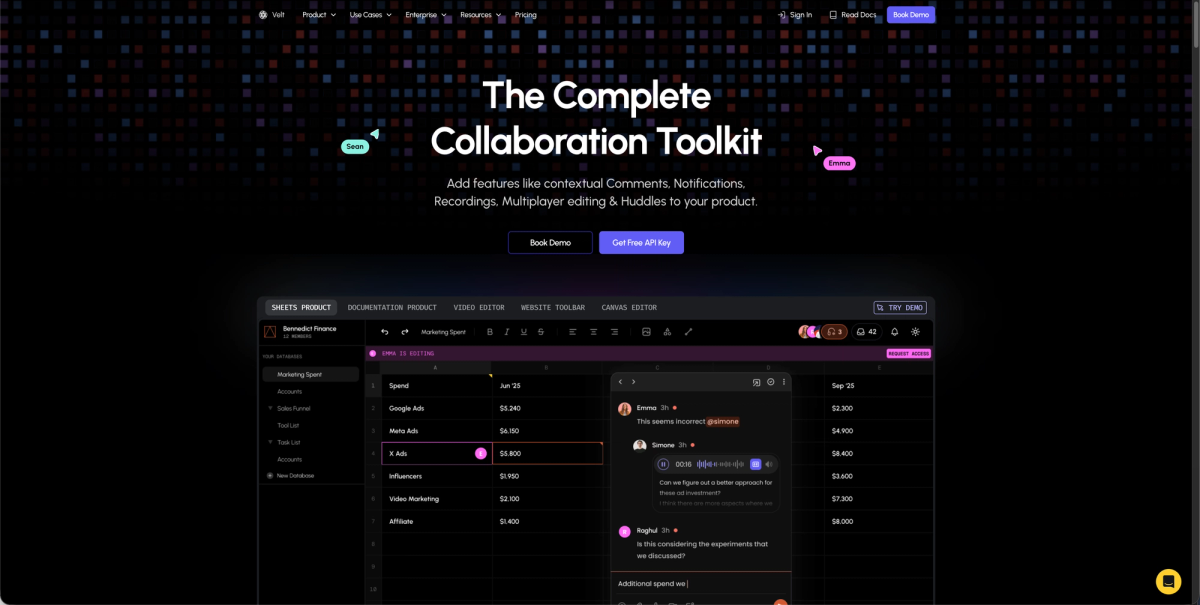
Velt is built as a complete collaboration framework, not a basic real-time primitive. While alternatives like Liveblocks provide socket connections that require you to build folder trees, permission logic, and cross-document aggregation manually, Velt understands your app hierarchy out of the box. Organizations, workspaces, folders, and documents work together automatically, eliminating months of "glue code" engineering.
DOM-aware precision that survives layout changes
Velt's anchoring system binds comments directly to UI elements using data IDs, not fragile x/y coordinates. When users resize windows, zoom canvases, or reflow text, comments stay attached to the right element. This "high precision" approach prevents the floating comment problem that plagues coordinate-based systems.
Enterprise-grade security and global reach
Velt supports 45+ regions worldwide with data self-hosting options, compared to the 2-region limitation of many competitors. The real-time permission provider makes sure your database remains the absolute source of truth; revoke access and it takes effect immediately, not after token expiration. Velt meets SOC 2 Type II compliance and offers a 99.999% uptime SLA for enterprise accounts.
Pricing that aligns with your growth
Monthly Active Collaborator (MAC) billing means you only pay when users actually collaborate, not for every document they open. In typical B2B apps, only about 20% of document views result in collaboration actions. While room-based pricing grows exponentially with your document count, Velt's costs scale linearly with actual user value.
Zero-docs implementation with Agent Skills
Velt's Agent Skills teach AI coding agents the correct implementation patterns, letting developers build features by prompting Cursor or GitHub Copilot instead of reading documentation. This "zero-docs" approach cuts integration time from weeks to hours.
Production-proven at scale
Velt powers applications with over 1 million monthly active users, with customers like Leadpages and Trumpet reporting a lot of engagement increases after implementation. The infrastructure handles enterprise workloads while the SDK keeps your codebase clean.
A final note on commenting SDKs
Collaboration no longer stops at file sharing. Users want chat, presence, voice, and rich media in the same window where they create value. A commenting SDK is the fastest step toward that future. Velt let you roll out threaded talk today and grow into live cursors, calls, and more tomorrow.
FAQ
How long does it take to add a commenting SDK to my product?
Most teams ship basic threaded comments in 1-5 days with an SDK like Velt. Building the same feature from scratch takes 3-6 months because you must handle real-time sync, anchoring logic, UI components, and security layers.
What is the difference between a commenting SDK and a commenting API?
A commenting API gives you backend endpoints for storing and retrieving comments, but you still build the UI, WebSocket connections, and anchoring yourself. A commenting SDK includes pre-built UI components, live sync, and anchor tracking, cutting your work from weeks to days.
Can I use multiple comment styles in the same app?
Yes. Velt lets you mix inline text highlights, canvas pins, spreadsheet cell notes, and video timestamp comments in one product. You can start with one style and add others later without changing vendors.
How does pricing work for a commenting SDK?
Velt uses Monthly Active Collaborator (MAC) billing, so you only pay when users actually leave comments or collaborate. This differs from MAU-based pricing where you pay for every user who opens a document, even if they never interact.
Do I need to host the commenting infrastructure myself?
No. Velt handles all real-time infrastructure, scaling, and uptime. If you have compliance needs, Velt offers data self-hosting so collaboration data stays in your cloud while Velt manages the service layer.