


How to Add an Approval Workflow to a React App (April 2026)
Learn how to add approval workflows to React apps with state management, routing logic, and notifications. Complete implementation guide for April 2026.
You're building a document tool, a sales enablement app, or an FP&A app, and now users are asking for review workflows. You know you need approval states, assignee logic, and some kind of audit trail, but you're not sure whether to build it yourself or pull in review and approval infrastructure. The build-versus-buy question matters here because approval workflows in React look simple on the surface but get complicated fast once you add real-time sync, notifications, permissions, and edge case handling. Here's what actually goes into shipping one.
TLDR:
- Building approval workflows means state machines, permissions, real-time sync, notifications, and audit logging. Each piece adds up fast.
- Choose your routing pattern (sequential, parallel, or conditional) before writing any code. The wrong pick early is a painful refactor later.
- WebSockets handle in-app status updates. Webhooks handle external alerts like Slack or email when an item hits
pending_review. - Watch for race conditions, deleted reviewers, and resubmission loops. These are the edge cases most teams miss in production.
- Velt ships comments, approval states, notifications, and audit trails as prebuilt components for React, Vue, Svelte, and Angular.
What Approval Workflows Are and Why React Apps Need Them
Approval workflows are structured processes where content, data, or actions move through a defined sequence of review steps before reaching a final state. In practice, that means a document gets flagged for review, a reviewer approves or rejects it, and the system records what happened and when.
React apps need this because users expect it. React powers 39.5% of developer environments per Stack Overflow's annual survey, and over 40% of enterprise apps are built with it. Most of those apps will eventually need approval logic, and state management is where that logic lives or dies. Approval bottlenecks slow critical work across most teams. Without built-in workflow states, users fall back on Slack threads and email chains, and your app becomes a passive viewer instead of the source of truth.
Types of Approval Workflow Patterns for React Applications
Approval routing controls who reviews what and in what order. It sounds like a detail, but poor approval processes are one of the top reasons decisions stall inside organizations. Get the routing wrong and no amount of good UI fixes it.
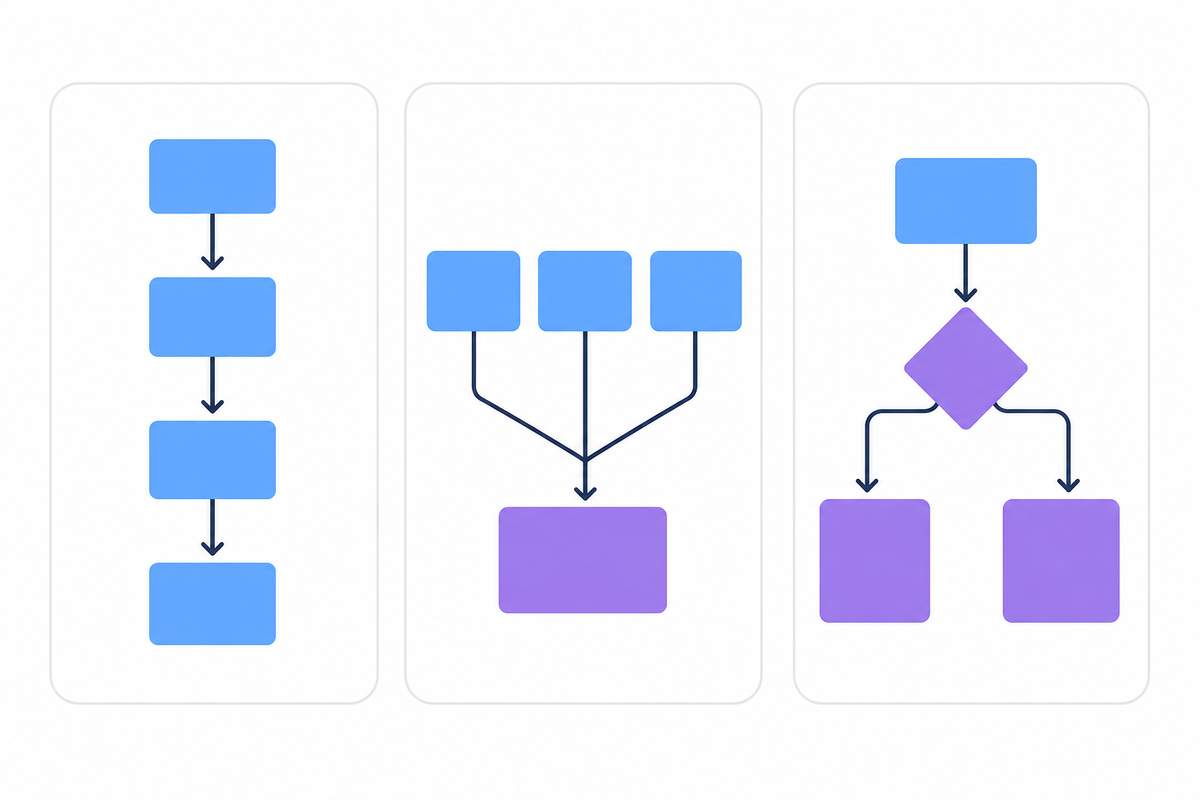
Pick your pattern before writing any code. The three core structures map to different product architectures, and the wrong choice early means a painful refactor once real users hit edge cases.
| Pattern | How it works | Best for |
|---|---|---|
| Sequential | Reviewers approve one at a time in a fixed order | Compliance review, financial documents, legal sign-off |
| Parallel | All reviewers receive the request simultaneously | Fast-moving content approvals, sales collateral |
| Conditional | Routing branches dynamically based on content attributes or rules | FP&A tools, ops tools with variable approval chains |
The conditional pattern is the most flexible but also the hardest to maintain. Start with sequential unless your users clearly need something else.
Building the Core Approval Workflow Component Structure
Start with a clear state machine before any UI work. Define what states an item can occupy and which transitions are valid:
type ApprovalStatus = 'draft' | 'submitted' | 'pending_review' | 'approved' | 'rejected';

interface ApprovalItem {
  id: string;
  status: ApprovalStatus;
  submittedBy: string;
  assignedTo?: string;
  reviewedAt?: Date;
  rejectionReason?: string;
}
Your component hierarchy should mirror the workflow stages:
ApprovalProviderholds global workflow state and dispatches status transitionsApprovalQueuelists items pending review, filtered by the current user's roleApprovalCarddisplays a single item with approve, reject, and request-changes actionsApprovalHistorykeeps an immutable log of past decisions with timestamps
Keep all transitions centralized in a reducer or context. A single dispatch({ type: 'APPROVE', itemId }) pattern gives you one place to add logging, permission checks, or side effects. Keep data flowing one direction: context down, events up.
Implementing Approval State Management in React
Approval workflows typically cycle through a handful of states: pending, in_review, approved, and rejected. Keeping those states consistent across components, users, and sessions is the hard part.
Here are the three most common approaches:
- Local
useStateworks for simple single-user flows but breaks down the moment multiple reviewers or async updates enter the picture. - A state manager like Redux or Zustand gives you shared state across components, but you're still writing all the transition logic and persistence yourself.
- A purpose-built SDK like Velt handles state sync, persistence, and real-time updates out of the box, so you're wiring up UI instead of rebuilding infrastructure.
Adding Notifications and Real-Time Updates to Approval Workflows
Most approval implementations fall apart at the notification layer. A reviewer has no idea they're needed unless the app tells them.
Webhooks and WebSocket connections solve different parts of this. Webhooks fire server-side on state changes. They're the right tool for triggering external alerts like Slack messages or emails when an item reaches pending_review. WebSocket connections handle the in-app side, pushing status updates to all connected clients the moment a reviewer acts. No polling, no stale state.
For the in-app notification UI, build a persistent inbox component filtered by assignedTo === currentUser.id, sorted by submission date.
Building Approval Workflow UI Components
Every approval workflow needs five core UI components:
- Approval action buttons (approve, reject, request changes) with disabled states during async transitions to prevent double-submission
- Status badges that combine color and text labels, never color alone, for screen reader accessibility
- Assignee dropdowns filtered by role so reviewers only see valid options
- Inline comment threads anchored to the item under review, not floating in a sidebar
- History timeline showing who acted, what they decided, and the exact timestamp
Keep each component stateless where possible. Pass status and handlers as props and let the parent context own transitions. This makes components reusable across different workflow types without rewriting the core logic.
Handling Approval Workflow Edge Cases and Errors
Production approval workflows break in ways that are easy to miss during development. A reviewer account gets deleted mid-review. Two approvers click "approve" simultaneously and trigger duplicate notifications. A document gets submitted for approval while it's already under review.
Here are the most common failure points to guard against:
- Concurrent state changes can cause race conditions if your backend doesn't use atomic operations or optimistic locking when updating approval status.
- Deleted users in the reviewer chain should be handled by either reassigning the review or escalating to an admin, not silently blocking the workflow.
- Resubmission logic needs explicit checks to prevent cycling a document back into "pending" while it's already awaiting approval.
Approval Workflow Best Practices for Production React Apps
Four practices that separate a prototype from a production-ready workflow:
- Log every state transition on both the server and client. Record who acted, when, and the previous state. SOC 2 and HIPAA audits expect exactly this.
- Verify permissions at the API layer on every transition. A disabled button does nothing to prevent a direct API call.
- Test your state machine explicitly, covering invalid transitions (approved back to pending) and concurrent updates beyond the happy path.
- Version-control your workflow configurations. When business requirements shift, config-as-code beats tribal knowledge every time.
Real-World Use Cases: Where Approval Workflows Add Value in React Apps
The right features to build depend on your product category.
- Content and marketing tools: parallel review so brand, legal, and editorial act simultaneously. Inline commenting anchored to specific content beats routing feedback through Slack.
- Sales software: sequential sign-off chains for contracts, with an audit trail logging every decision by name, timestamp, and action taken.
- FP&A tools: conditional routing by document type or dollar threshold, with immutable logs that hold up to compliance audits.
- Compliance-driven industries (healthcare, finance, legal): enterprise-grade audit and compliance features are requirements, not optional features.
Adding Review and Approval Infrastructure with Velt
Building approval workflows from scratch takes months. State machines, permission checks, real-time sync, audit logging, notification routing. Each piece looks manageable until you're three sprints deep and still haven't shipped the feature your users actually asked for.
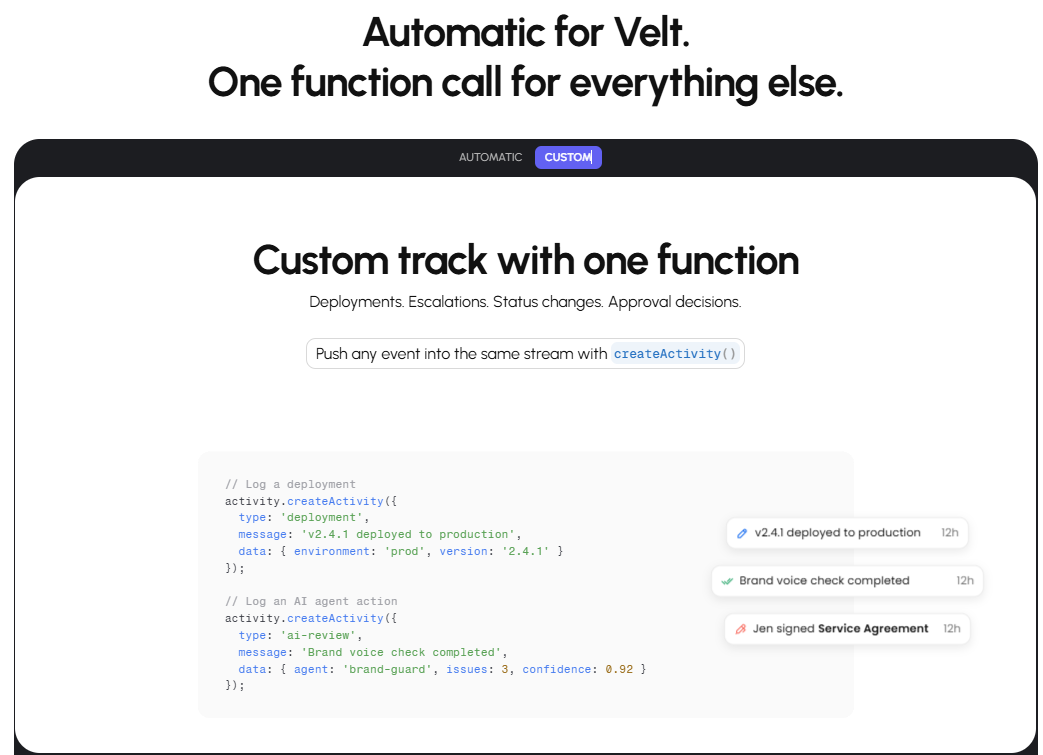
Velt is review and approval infrastructure for React apps. Drop in Velt and you get contextual comments, approval states, real-time notifications, and immutable audit trails as prebuilt components. The approval workflow layer covers assignee routing, status transitions, resolution tracking, and a full user audit trail. Velt also supports Vue, Svelte, and Angular.
For teams building content production tools, compliance software, FP&A apps, or internal tooling, Velt covers the full stack enterprise buyers expect: comments anchored to specific elements, presence, notifications that push to Slack or email, and audit logs that satisfy SOC 2 requirements. The alternative is building all of that yourself. Some teams do. Most eventually wish they hadn't.
Final Thoughts on Approval Infrastructure for React
You can build approval workflows in React yourself, or you can use Velt and move on to the features your users actually requested. Book a demo to see how fast you can add review infrastructure to your app. Most teams put their engineering cycles toward product differentiation, not rebuilding collaboration primitives.
FAQ
What's the difference between sequential and parallel approval workflows in React?
Sequential workflows route a review request through one approver at a time in a fixed order, so the next reviewer only sees the item after the previous one acts. Parallel workflows send the request to all reviewers simultaneously, which speeds up approvals but requires logic to handle partial approvals and conflicts. Sequential is the right default for compliance and legal sign-off; parallel works well for fast-moving content reviews where all stakeholders can act independently.
How do you handle real-time status updates across multiple reviewers?
WebSocket connections are the standard approach. When a reviewer approves or rejects an item, the server pushes the updated status to all connected clients immediately, so no other reviewer is working from stale state. Pair this with optimistic UI updates on the acting client so the interface feels instant, then sync up with the server response.
When should you build an approval workflow yourself instead of using a purpose-built SDK?
Build it yourself if your workflow logic is genuinely simple (one state, one reviewer, no audit requirements) and you have no plans to add real-time sync, notifications, or compliance logging. Once any of those requirements appear, the engineering cost climbs fast. Most teams underestimate how much time goes into edge cases like deleted reviewers, race conditions, and permission enforcement at the API layer.
How do you prevent race conditions when two reviewers approve an item at the same time?
Use atomic operations or optimistic locking on the backend when updating approval status. A simple check-and-set pattern means only the first write wins and subsequent writes return a conflict error. On the frontend, disable action buttons immediately on click and restore them only if the server returns an error, which prevents duplicate submissions during the async window.
What audit trail data should a production approval workflow log?
Log the item ID, the previous status, the new status, the user ID of who acted, and an ISO 8601 timestamp for every state transition. Store these records as immutable append-only entries: never update or delete them. SOC 2 and HIPAA audits expect a complete, tamper-evident history of who approved what and when.