

Approval Workflow SDK: Complete Developer's Guide (April 2026)
Complete guide to approval workflow SDKs for developers. Learn routing, permissions, and audit trails with code examples. Updated April 2026.
You've scoped the approval workflow feature, and the dev estimate is three months minimum. State management, approver routing, permission enforcement, notification triggers; every piece needs custom logic before users can submit a request and wait for sign-off. An approval workflow SDK replaces that build with integration: prebuilt components handle the review lifecycle from submission through decision capture, plus the edge cases like escalation, re-routing, and audit logging that consume most of the engineering effort. The real cost isn't choosing between SDKs - it's whether your custom build can scale to enterprise workloads without becoming the performance bottleneck when document counts hit five figures. Velt handles these scenarios at production scale.
TLDR:
- Approval workflow SDKs handle routing, permissions, and audit trails so you don't build state machines from scratch
- Real-time permission providers validate access on every request, unlike JWTs which stay valid until expiry
- Batched API calls cut network overhead by 80-90% when displaying approval status across multiple documents
- DOM-aware comment threads pin reviewer feedback to exact UI elements, preventing context loss during layout changes
- Velt SDK combines task assignment, resolution tracking, and hierarchical permissions for production approval workflows
What is an approval workflow SDK
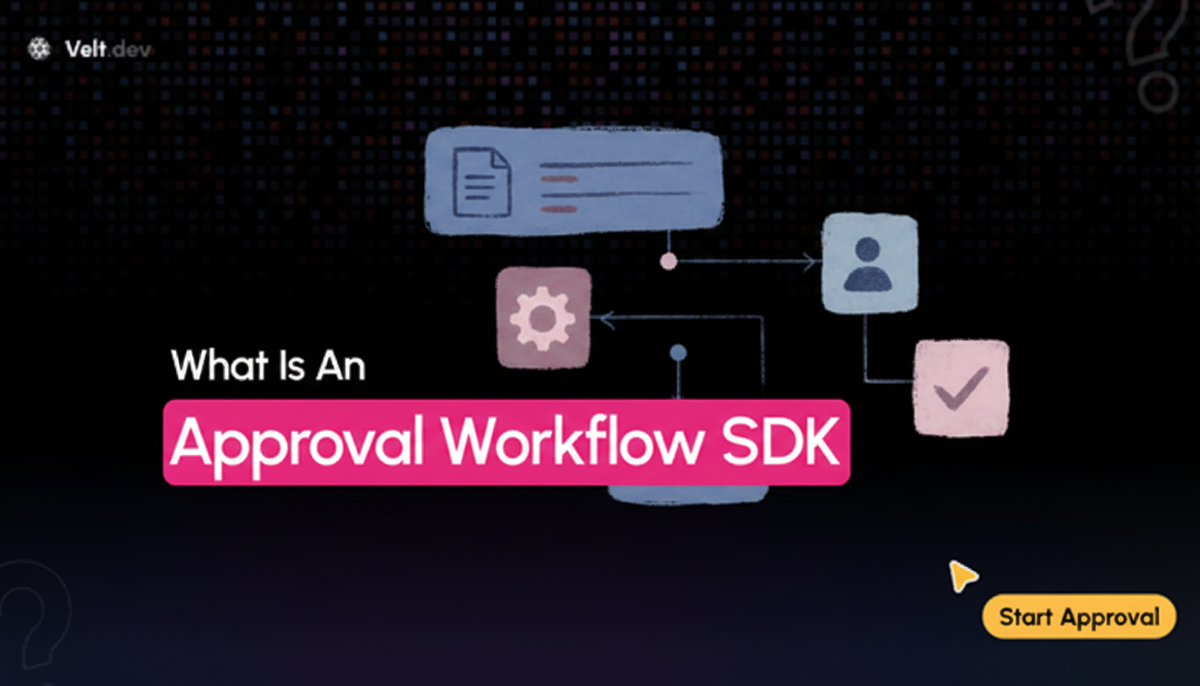
An approval workflow SDK gives developers the building blocks to add structured review and authorization processes directly into their apps. Instead of wiring up custom state machines, permission checks, and notification logic from scratch, you get prebuilt components that handle the full lifecycle: submitting content for review, routing it to the right approvers, capturing decisions, and notifying stakeholders when something changes. For teams building SaaS apps where content, data, or actions require sign-off before going live, this matters a lot. The alternative is months of backend engineering just to support something users expect by default.
Core approval workflow SDK patterns
Four core patterns show up across nearly every approval workflow implementation. Understanding the trade-offs between them is the foundation of good SDK design.
| Pattern Type | How It Works | Key Advantages | Main Disadvantages | Best Used When |
|---|---|---|---|---|
| Sequential Approvals | Routes requests through approvers one at a time in a fixed order. Each reviewer must complete their decision before the next reviewer receives the request. | Creates clear audit trail with chronological decision chain. Order of sign-off is legally documented. Simple to understand and troubleshoot. | Total review time multiplies with each added step. Single slow approver blocks entire workflow. Inflexible to changing priorities. | Compliance-heavy workflows where legal order matters. Financial approvals requiring hierarchical sign-off. Compliance-driven industries with mandatory review sequences. |
| Parallel Approvals | Multiple reviewers receive and act on requests simultaneously. Decisions are collected and checked against consensus rules. | Much faster than sequential processing. Reduces bottleneck risk from individual approvers. Can capture diverse perspectives simultaneously. | Requires clear consensus rules for conflicting decisions. More complex to audit. Can create confusion about final decision authority. | Time-sensitive approvals with tight deadlines. Situations requiring input from multiple departments. Low-risk decisions where speed matters more than hierarchy. |
| Conditional Routing | Approval paths branch based on runtime data like request size, risk score, user role, or content type. Rules engine determines which path each request follows. | Keeps low-stakes items out of full review queue. Scales efficiently as request volume grows. Reduces unnecessary approver workload. | Complex to configure initially. Rules logic can become difficult to maintain. Edge cases may fall through routing gaps. | High-volume workflows with varying risk levels. Organizations with clear tier-based approval policies. Apps processing both routine and exceptional requests. |
| Approval Matrices | Rules-based system maps request attributes to approver groups automatically. Matrix defines which combinations of attributes require which approvers. | Scales across large organizations without manual routing. Automatically adapts to org structure changes. Handles complex approval requirements systematically. | Initial matrix setup requires careful planning. Can be over-engineered for simple workflows. Requires ongoing maintenance as org evolves. | Enterprise environments with hundreds of approvers. Complex approval requirements based on multiple factors. Organizations with frequent structural changes. |
Sequential approvals
One approver at a time, in a defined order. Simple to audit, but every added step multiplies total review time. Works well for compliance-heavy flows where order of sign-off matters legally.
Parallel approvals
Multiple reviewers act simultaneously. Faster, but you need to define a consensus rule: does one rejection block everything, or do you need a majority?
Conditional routing
Approval paths branch based on runtime data like request size, risk score, or user role. This keeps low-stakes items out of the full review queue.
Approval matrices
Rules-based routing that maps request attributes to approver groups automatically. Scales well across large orgs where manually assigning reviewers per request is not realistic.
"The right pattern isn't the most sophisticated one - it's the one that matches how your team actually makes decisions."
The real complexity is handling edge cases: what happens when an approver is unavailable, deadlines pass, or a request needs re-routing mid-review. Your SDK needs hooks for all of it.
SDK integration requirements and developer workflow
Getting an approval workflow SDK into production involves more than dropping in a script tag. Here's what the integration path actually looks like:
- An auth layer that maps your existing users to approver roles
- A document or entity model your app uses to scope approval contexts
- A webhook or event bus for routing decisions to downstream systems
What to check before committing
The gap between "running a demo" and "handling real data" is where most teams get surprised. Watch for SDKs that require per-document token issuance at scale. If your app has 10,000 documents, managing 10,000 individual access grants is unsustainable. Hierarchical permission inheritance, where access cascades from org to folder to document, cuts that overhead considerably. You should also check whether the SDK bills based on connections or on actual collaborator actions. Room-based or connection-based billing tends to inflate costs fast as document counts grow, even when most users are just reading. Customizing a commenting SDK helps optimize these costs.
Security architecture and permission models
Security in approval workflows goes beyond who can approve what. When permissions change, those changes need to take effect immediately, not after a token expires. We've identified four security architecture and permission models that you need to consider:
- Static tokens versus real-time permission providers
- Hierarchical permission inheritance
- Multi-tenancy
- Feature-level permissions
Static tokens vs. real-time permission providers
JWT-based auth has a structural problem: tokens are snapshots. If a user's role changes mid-session, they retain whatever access the token granted until expiry. A revoked approver could still act on a pending request. A real-time permission provider checks your backend as the source of truth on every request, including login, so access changes take effect instantly. When assessing comment SDK options, check out the best commenting SDKs for 2025.
Hierarchical permission inheritance
Most B2B SaaS apps have nested structures where organizations contain folders and folders contain documents. Hierarchical inheritance, where access cascades from org to folder to document, keeps management tractable at scale without issuing separate tokens per resource.
Multi-tenancy
Approval workflows in multi-tenant apps require hard data isolation between organizations. This should be a native SDK capability. Cross-org access switching and per-org permission scoping should work without custom socket reconnection logic.
Feature-level permissions
Role-based access at the feature level controls which collaboration actions are available to specific users. An external reviewer might read comments but not approve. A manager might approve but not reassign. Granular feature permissions keep approval logic precise without overcomplicating your user model.
Performance and scalability considerations
Approval workflows that feel snappy with 10 users can fall apart at 10,000. Automation reduces manual errors by up to 90% and improves process speed by 40-60%, but only if the underlying SDK doesn't become the bottleneck. Two optimizations matter most at scale:
- First, batched API calls. Instead of issuing one request per document, a well-designed SDK groups them.
batchedPerDocumentmode for comment count queries cuts network overhead by up to 80% when displaying data across multiple documents simultaneously. - Second, internal service call batching reduces total SDK network requests by up to 90%, which is the difference between a snappy dashboard and a slow one at enterprise scale.
Debounce timing gives you control over request frequency, letting you tune the balance between latency and throughput based on your app's traffic patterns.
Human-in-the-loop approval patterns
Automated pipelines need exit points where a human makes the final call. The pattern is straightforward: an agent or automated process reaches a decision gate, pauses execution, and waits for authorization before continuing. The critical implementation details live in the edges. Your SDK needs:
- A reliable pause/resume hook that persists state across sessions, so a restart doesn't orphan an in-flight request.
- Timeout handling with configurable escalation, for example if no one approves within 24 hours, automatically route to a manager.
- A clear way to surface pending requests to the right reviewers without requiring constant polling.
Escalation logic is where most teams cut corners. Build it into the routing layer from the start. If the primary approver misses a deadline, the request should re-route automatically with full context intact. Just keep in mind that comment annotation and programmatic composer controls help here. Pre-populate review context the moment a request enters the human review queue, so approvers see exactly what needs a decision without hunting for background.
REST APIs and backend integration
REST APIs let backend systems drive approval workflows without a live frontend session. That matters for automation pipelines, ETL jobs, and integrations with CRM or ERP tools that need to create, update, or query approval state programmatically. Webhook support extends this further. Velt webhooks fire when approval events occur, pushing state changes to external systems in real time, so a ticket in your support tool or a record in your CRM reflects the latest status without polling. Configurable debounce timing prevents webhook flooding in high-frequency environments. For migrations or bulk operations, asynchronous REST endpoints handle large-scale data movement without blocking active workflows, which matters when reorganizing document hierarchies or consolidating workspaces after an acquisition. Learn more about webhooks and APIs for extended integration capabilities.
Audit trails and compliance requirements
Every approval decision leaves a paper trail whether you plan for it or not. The question is whether that trail is structured enough to be useful when an auditor asks for it. At the SDK level, audit logging captures the full lifecycle: who submitted, who reviewed, what decision was made, and when. The resolvedByUser property records which user closed each annotation, giving you a per-action audit record without custom logging code. Activity logs track all collaboration events across creation, edits, deletions, and access changes, with REST API endpoints for pulling that event stream into compliance dashboards or external reporting tools.
For compliance-heavy industries, this goes from nice-to-have to required. HIPAA, SOC 2, and finance-sector frameworks all require demonstrable approval histories with named actors and timestamps. The attachmentDownloadClicked event lets you intercept, log, or conditionally block every file access, which matters when sensitive documents are part of the review package. The source field in permission provider requests identifies which module triggered each access check, making it straightforward to trace permission decisions across complex integrations.
Real-time collaboration features in approval workflows
Approval cycles slow down when context lives outside the app. Reviewers check email, approvers miss Slack messages, and no one knows whether a decision has been made. Bringing collaboration into the workflow itself closes that loop. That's why in-app commenting lets reviewers annotate directly on the content under review. @mentions route the right people into a thread without a separate message. These are key features of online collaboration tools in modern workflows. Presence indicators show whether an approver is active, so submitters know whether to wait or escalate. Notifications fire on every state change, keeping stakeholders informed without polling or follow-up messages.
A unified inbox aggregates activity across every document in an org, so approvers see all pending items in one place instead of checking individual files. Paired with the "Assigned to Me" filter, reviewers triage their queue the same way they would in a dedicated task tool, without leaving the app.
Implementing approval workflows with the Velt SDK
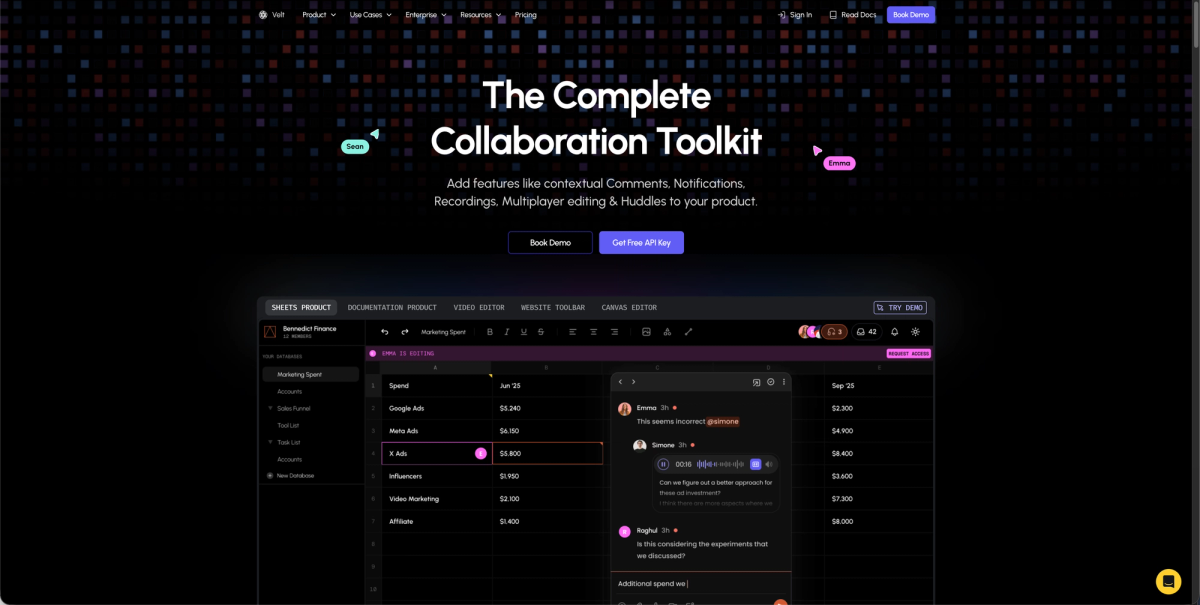
The Velt SDK assembles into a functional approval workflow by combining four systems: comment annotations for review feedback, task assignment for routing, resolution tracking for status, and hierarchical permissions for approval authority.
Each piece has a clear role. DOM-aware comment threads pin reviewer feedback to the exact element under review, not a floating coordinate. The setAssignToType() method routes requests to specific approvers. The "Assigned to Me" filter gives each reviewer their personal queue. resolvedByUser records who closed each item, creating the audit trail. And permission inheritance enforces who can approve at the document, folder, or org level without per-document configuration.
Companies that automate approval workflows report up to 90% fewer manual errors and 40-60% faster cycle times, so the ROI compounds quickly once the integration is in place. Agent Skills can accelerate that setup further: a single prompt to your AI coding agent handles provider configuration, comment setup, and notification wiring without reading through the full docs.
Final thoughts on approval workflow implementation
Building approval workflows from scratch takes months, but an approval workflow SDK cuts that down to days if it matches your actual requirements. The difference between a good SDK and a frustrating one shows up in permission updates, billing models, and how it handles the edge cases your team will hit in production. You need real-time access control, audit trails that work out of the box, and routing logic that adapts to your org structure. Book a Velt demo if you want to talk through how this fits your specific setup.
FAQ
How does real-time permission checking work versus JWT-based auth?
Real-time permission providers check your backend as the source of truth on every request, including login. If you revoke a user's approval rights in your database, they lose access immediately: no waiting for token expiry.
What's the difference between sequential and parallel approval patterns?
Sequential approvals route requests through reviewers one at a time in a fixed order, which creates an audit trail but multiplies total review time. Parallel approvals let multiple reviewers act simultaneously, which is faster but requires consensus rules to handle conflicting decisions.
Can I build approval workflows without writing custom state management code?
Yes. An approval workflow SDK handles the full lifecycle (submission, routing, decisions, notifications) through prebuilt components. You configure the routing logic and permission rules instead of building state machines from scratch.
How do I prevent approval costs from scaling with document count?
Look for SDKs that bill based on active collaborators instead of connections or rooms. Connection-based pricing inflates fast as document counts grow, even when users are just reading. Collaborator-based billing scales with actual usage.
What happens when an approver is unavailable or misses a deadline?
Your SDK should support configurable escalation rules that automatically re-route requests to a backup approver after a defined timeout. Build this into the routing layer from the start so pending requests don't get orphaned.