


Adding Review States to Your App: Draft, In Review, Approved, Published (May 2026)
Learn how to add review states (draft, in review, approved, published) to your app. Complete implementation guide with state machines and workflows. May 2026.
When you're building a content or document product, review processes either live in your app or they leak into Slack threads and email chains that lose context the moment someone closes a tab. The fix is treating draft, in review, approved, and published as real application state, not afterthoughts. Review and approval infrastructure gives reviewers clarity on what needs attention, gives writers certainty on what's been resolved, and gives your audit log the attribution it needs for compliance. This post covers the state machine patterns, the React implementation details, and how teams ship this in days instead of weeks.
TLDR:
- Review states (draft, in review, approved, published) make implicit workflows explicit
- Building approval infrastructure from scratch takes weeks before writing business logic
- Velt ships state machines, permissions, and audit trails preconfigured for React apps
- Sequential workflows gate reviews in order; parallel workflows send to all reviewers at once
- Velt provides review and approval infrastructure for B2B SaaS products
What Are Approval States and Why They Matter
Approval states are a state machine pattern for documents and content. Work moves through defined stages: Draft, In Review, Approved, Published. Transitions are gated by human sign-off or automated rules. Without them, reviewers forget what version they approved and authors ship content that never got a second pair of eyes.
The pattern matters because it makes implicit workflow explicit. Each state carries specific permissions, a defined set of allowed transitions, and a clear owner.
Why Developers End Up Building This
Most teams start with a boolean: is_approved. Then requirements grow.
- You need a draft state that's hidden from non-authors before it's ready for review.
- You need an "in review" state that locks editing while reviewers annotate.
- You need an audit trail showing who approved what and when.
That boolean becomes a state machine. The state machine needs UI. The UI needs real-time sync. Teams that build this from scratch typically spend 4-6 weeks on infrastructure (state management, permission checks, real-time sync, and audit logging) before writing a single business-logic line.
The Review Bottleneck Problem in 2026
Today, most content and document workflows still break down at the same point: review. Files get emailed back and forth. Feedback lands in Slack threads that lose context. Stakeholders approve verbally and then deny doing so. Gallup research puts low engagement at a cost of $10 trillion in lost productivity annually, and poorly structured review workflows are a direct contributor to that friction.
The core issue is state. Most apps track whether a document exists, but not where it is in its lifecycle. There's no programmatic difference between a draft no one has seen and a file waiting on legal signoff. This is the problem that review states solve. When your app can represent draft, in review, approved, and published as actual application state, a few things follow naturally:
- Reviewers know exactly what needs their attention without checking Slack or email.
- Writers and editors stop guessing whether feedback has been resolved.
- Audit trails write themselves because state transitions are tracked events. If you're evaluating commenting tools, our ranked guide covers the top solutions.
Building this from scratch takes longer than most teams expect. The state machine is straightforward, but the surrounding infrastructure, permissions, notifications, comment threading tied to specific states, gets complicated fast.
Common Approval State Models
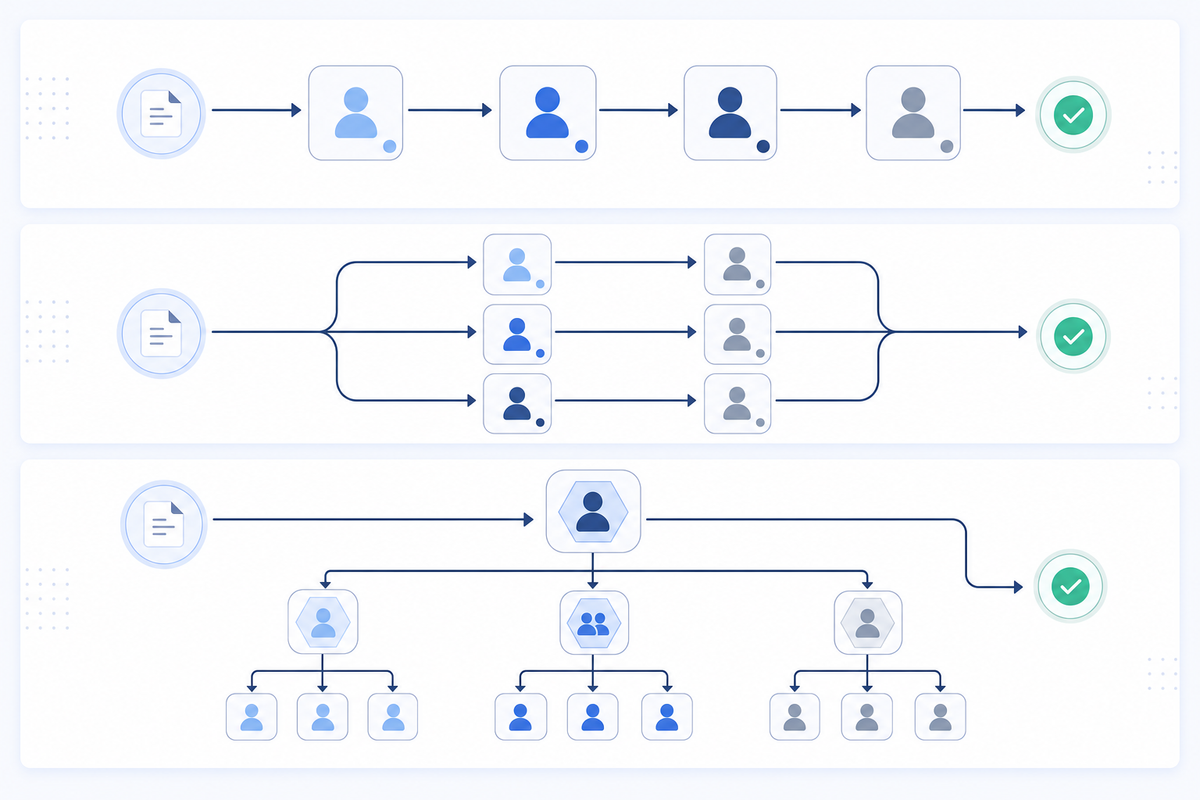
Most apps start with a simple boolean: published or not published. That works until it doesn't, usually around the time a second person needs to review something before it goes live.
There are a few patterns that teams consistently land on once they outgrow the binary model.
Linear State Chains
The most common pattern. A document moves through a fixed sequence: draft → in_review → approved → published. Each transition requires an explicit action, and moving backward is either blocked or treated as a separate state like changes_requested.
Branching Workflows
Some content types need parallel review from multiple stakeholders before approval. Legal, design, and editorial might all need to sign off independently. The document only advances when all branches resolve.
Role-Gated States
Certain transitions are restricted by role. A contributor can submit for review, but only an editor can approve. Only an admin can publish. This is where most homegrown implementations start leaking complexity, because role checks end up scattered across components instead of living at the state layer.
Model Side-by-Side Comparison
| Model | Best For | Main Tradeoff |
|---|---|---|
| Linear chain | Simple editorial workflows | Can't handle parallel review |
| Branching | Compliance, multi-team sign-off | More complex state logic to maintain |
| Role-gated | Any production content workflow | Requires tight permission modeling |
Implementing Approval States in React Applications
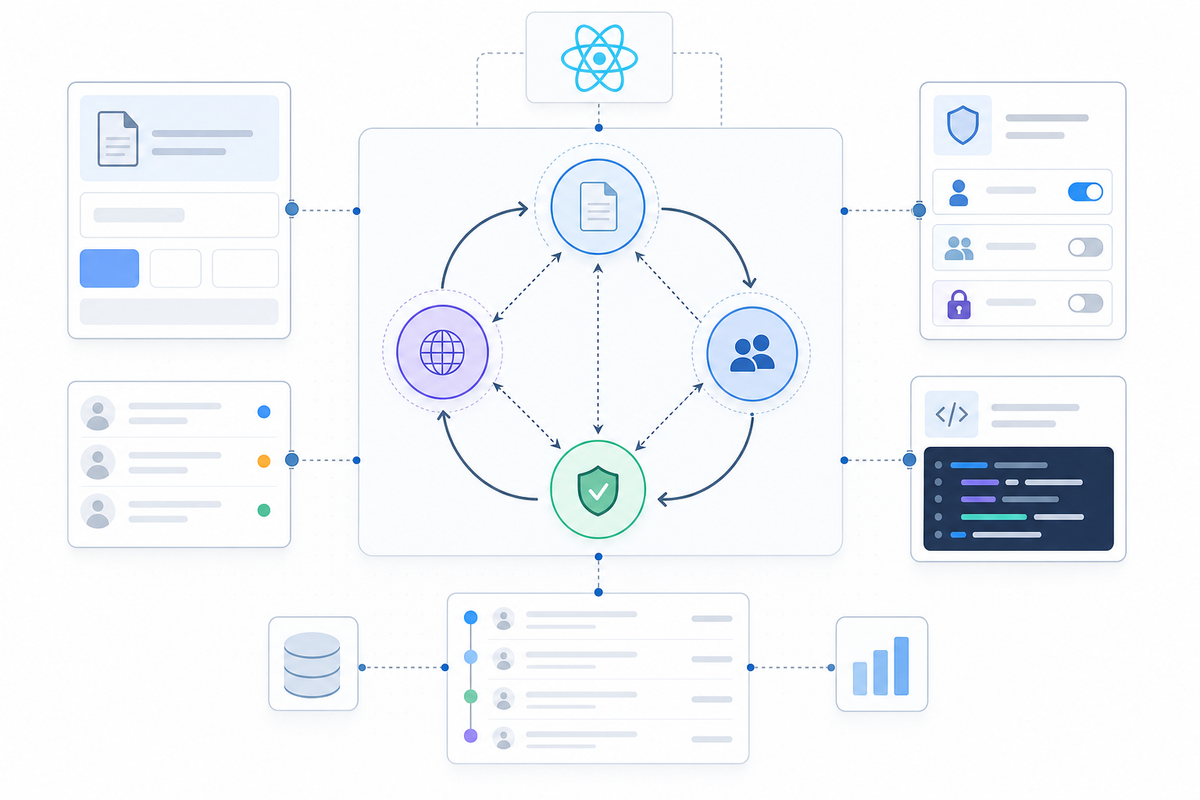
React gives you the component structure, but approval state logic is where things get complicated fast. You need to track state transitions, enforce who can move content from one stage to the next, and reflect all of that in your UI without creating a mess of prop drilling and context hacks.
Here's a straightforward way to think about the state machine:
- Each document lives in one of four states:
draft,in_review,approved, orpublished. Transitions only flow forward unless you explicitly allow rollbacks. - Permissions gate transitions. A contributor can submit for review, but only a reviewer can approve. Only an admin publishes.
- Every state change should write to an audit log and also update local state.
State Transition Logic
Before writing any React code, though, you should map your allowed transitions as data:
const TRANSITIONS = {
  draft: ["in_review"],
  in_review: ["approved", "draft"],
  approved: ["published", "in_review"],
  published: [],
};
This keeps your transition rules in one place and makes permission checks straightforward. Your UI reads from this object to decide which buttons to render, instead of scattering conditional logic across components. Building this yourself is doable. Velt ships review and approval infrastructure with this state machine, permission model, and audit trail already wired together, so you're not rebuilding it from scratch on every project. You can add contextual comments with full state integration.
Approval Workflow Patterns: Sequential vs Parallel
Two structural choices shape how review states behave in practice: whether approvals happen one at a time or all at once.
Sequential workflows move a document through reviewers in a fixed order. Legal reviews the draft, then finance, then the VP. Each stage gates the next. This works well when later reviewers need earlier feedback before they can evaluate the content meaningfully.
Parallel workflows send the document to multiple reviewers simultaneously. All reviewers get access at the same time, and the document advances when a threshold is met, say, three out of five approvals. This cuts turnaround time considerably when reviewers are independent of each other.
Choosing the Right Pattern
Consider these factors when picking a structure:
- Sequential is worth the wait when each reviewer's feedback directly informs the next stage, like legal compliance checks before editorial review. If legal flags a clause, editorial shouldn't be reviewing that version anyway.
- Parallel works well for peer review scenarios where no single reviewer's opinion should block others from weighing in concurrently. Three engineers reviewing the same API spec don't need to go one at a time.
- Hybrid approaches are common: parallel review within a stage, sequential across stages. A compliance review might collect sign-offs from legal and security simultaneously, then hand off to the publishing team only after both approve.
- Time sensitivity matters. If a document needs to ship in 24 hours, forcing sequential review through four stakeholders is a bottleneck. Parallel collapses that to a single waiting period.
- Reviewer dependency matters too. If reviewer B needs to read reviewer A's notes before forming an opinion, parallel routing will produce conflicting, uninformed feedback. Sequential keeps context intact.
A good rule of thumb: default to parallel unless there's a clear reason one reviewer's output should shape the next reviewer's input. Most teams start sequential because it feels safer, then switch to parallel when they realize reviews are the slowest part of their pipeline.
Velt lets you configure either pattern through workflow definitions attached to document state, so your UI stays consistent regardless of which routing logic runs underneath.
Adding Audit Trails to Your Approval States
State transitions without attribution are incomplete records. Knowing a document moved from in_review to approved on Tuesday matters less than knowing who approved it, when exactly, and after how many rounds of feedback. For compliance-driven industries like finance, healthcare, and legal, this distinction isn't academic. Auditors want a timestamped, immutable record of every decision with full identity attribution before anything goes out the door. Velt's activity logs capture every action with complete attribution.
Activity Logs vs Audit Trails
Basic logs capture events. Audit trails connect events to identity, context, and sequence:
- Activity log: "Document approved on March 4"
- Audit trail: "Sarah Chen approved v3 on March 4 at 14:47 UTC, following two change requests from legal on March 2 and 3"
Velt captures every state transition, comment, and approval with full attribution. For teams considering enterprise-ready collaboration infrastructure, our 2026 guide covers requirements and implementation. You can push custom business events into the same timeline using createActivity(), so "Contract signed" and "Document approved" share a single record. No separate logging pipeline needed.
Building Approval States with Velt
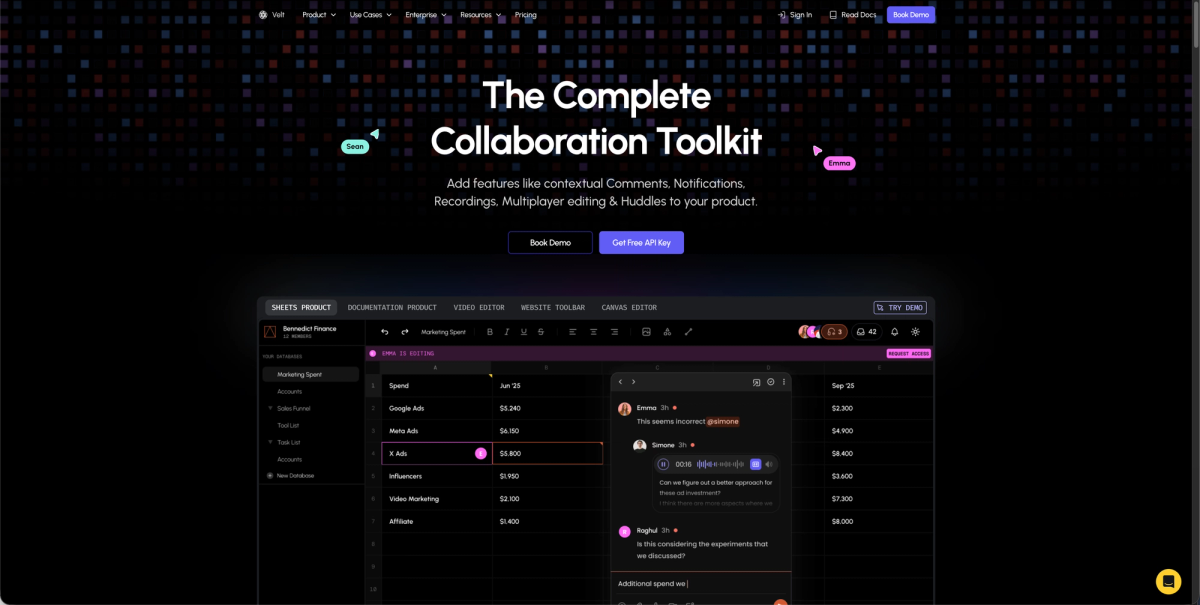
Everything covered above (state machines, audit trails, sequential and parallel routing) is what Velt ships as review and approval infrastructure. You don't wire up a custom state management layer or build comment threading that ties to document state.
Velt's approval workflows include a configurable assign-to UI, inline assign buttons on thread cards, and resolution tracking with a full user audit trail. Activity logs capture every event across the collaboration lifecycle automatically, covering comment creation, edits, presence changes, and state transitions, without a separate logging pipeline.
Here's a minimal React setup that wires Velt into a document review workflow. Drop this in, swap the API key and user data, and your review states are live:
'use client'; // Required for Next.js

import { useEffect } from 'react';
import {
  VeltProvider,
  VeltComments,
  VeltCommentsSidebar,
  useVeltClient,
} from '@veltdev/react';

// Step 1: Define your approval state machine
const TRANSITIONS = {
  draft: ['in_review'],
  in_review: ['approved', 'draft'],
  approved: ['published', 'in_review'],
  published: [],
};

// Step 2: Document wrapper — sets the active document for Velt
function DocumentReviewWrapper({ documentId, children }) {
  const { client } = useVeltClient();

  useEffect(() => {
    if (client) {
      client.setDocuments([
        { id: documentId, metadata: { documentName: 'Contract v3' } },
      ]);
    }
  }, [client, documentId]);

  return <div className="document-container">{children}</div>;
}

// Step 3: Root app — wrap everything in VeltProvider
export default function App() {
  const currentUser = {
    userId: 'user-123',
    organizationId: 'org-abc',
    name: 'Sarah Chen',
    email: 'sarah@example.com',
    photoUrl: 'https://i.pravatar.cc/300',
  };

  return (
    <VeltProvider
      apiKey="YOUR_VELT_API_KEY"
      authProvider={{
        user: currentUser,
        generateToken: async () => {
          // Call your backend to generate a Velt auth token
          return await fetchVeltTokenFromBackend();
        },
      }}
    >
      {/* Sidebar shows all comments grouped by approval state */}
      <VeltCommentsSidebar />

      <DocumentReviewWrapper documentId="contract-v3">
        {/* Enables contextual commenting tied to document state */}
        <VeltComments />

        {/* Your document content goes here */}
        <YourDocumentContent />
      </DocumentReviewWrapper>
    </VeltProvider>
  );
}
Here's what that means for your team's actual workload:
- The state machine, permissions, notifications, and audit trail come preconfigured out of the box, so the work left for your team is product logic and UI customization. See our January 2026 Velt vs Liveblocks comparison for detailed feature analysis.
- Velt exposes 115+ primitive components, so you're not locked into an opinionated UI. You style and compose it to fit your product.
- Teams ship approval states in 3 days or less, compared to weeks when building from scratch. For broader context, our 2026 platform rankings cover features and performance across review and approval tools.
The review layer is handled. You ship the thing that actually sets your product apart.
Final Thoughts on Implementing Review States in Production
Approval states turn chaotic Slack threads into structured workflows with clear ownership and accountability. Review states for React applications need more than just a state machine. You need permissions, notifications, comment threading, and audit logs that work together. Velt gives you all of that out of the box, so you ship review workflows in days and move on to features that actually set your product apart. Book a demo to see it in your app.
FAQ
Can I build approval states in React without building the full state machine myself?
Yes. Velt ships the state machine, permission model, and audit trail already wired together as review and approval infrastructure, so you skip the weeks most teams spend building transition logic, role checks, and activity logging from scratch.
Approval states sequential vs parallel workflow?
Sequential workflows move documents through reviewers one at a time in a fixed order (legal, then finance, then VP). Parallel workflows send to multiple reviewers simultaneously and advance when a threshold is met (3 out of 5 approvals). Sequential works when later reviewers need earlier feedback; parallel cuts turnaround time when reviewers are independent.
How do I add an audit trail to document approval workflow?
Velt captures every state transition, comment, and approval with full identity attribution automatically. You can push custom business events like "Contract signed" into the same timeline using createActivity(), creating a single audit record that merges collaboration history with business logic without building a separate logging pipeline.
What's the difference between activity logs and audit trails?
Activity logs capture events ("Document approved on March 4"). Audit trails connect events to identity, context, and sequence ("Sarah Chen approved v3 on March 4 at 14:47 UTC, following two change requests from legal on March 2 and 3"). Audit trails are required for regulated industries where every decision needs attribution before content goes live.
When should I use approval states SDK instead of building it in-house?
If your team would spend more than a week building the state machine, permission gates, notification system, and audit logging, review and approval infrastructure cuts that to days. Teams building review workflows for content production, compliance software, or internal tools consistently ship faster with Velt than building from scratch.