

Best Canvas Library for Web and Mobile Apps in January 2026
Compare Konva.js, React Flow, and Fabric.js for web and mobile apps. Learn which canvas library handles 5,000+ objects at 60 fps in May 2026.

If you're working on mind maps, flowcharts, or directed graphs, you might have noticed that performance falls apart once users start creating complex diagrams. DOM-based libraries make development easy but struggle past a few hundred nodes, especially on mobile. Canvas frameworks flip that tradeoff: you get better performance at scale but lose some of the built-in interactivity. We'll compare the frameworks that matter in 2026, focusing on where each one actually shines instead of trying to be everything to everyone.
TLDR:
- Canvas libraries like Konva.js and Fabric.js add interactive object models on top of raw HTML5 canvas APIs
- React Flow uses DOM elements for node-based editors, while canvas libraries handle 5,000+ objects better
- Konva.js separates static and interactive content across layers to maintain 60 fps on mobile devices
- Velt adds real-time collaboration to canvas apps with comments bound to specific node IDs and live cursors
Understanding Canvas Rendering for Interactive Applications
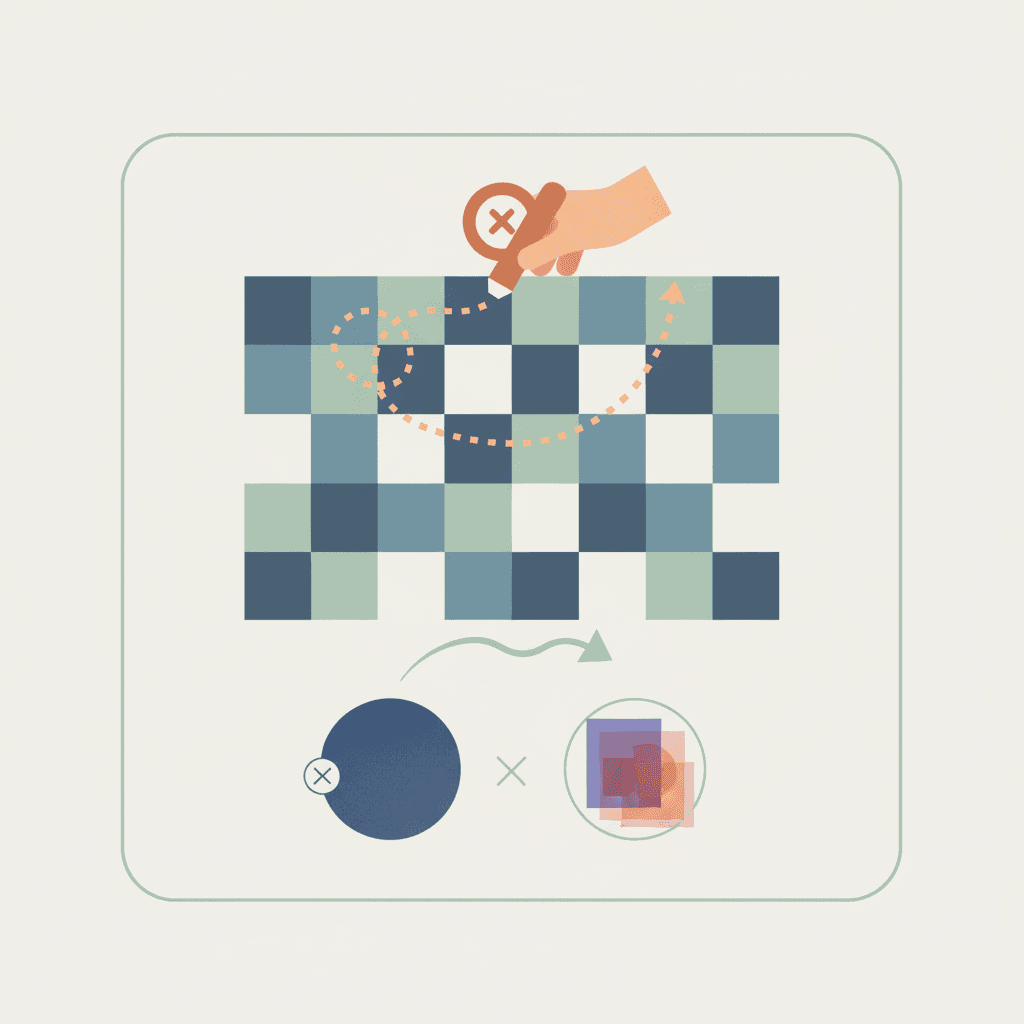
HTML5 canvas provides a pixel-level drawing surface in the browser. It uses immediate mode rendering: you clear and redraw everything each frame using JavaScript commands. This differs from DOM and SVG, which use retained mode where the browser maintains each element as an object in memory. With canvas, once you draw a shape, it becomes pixels. The browser doesn't remember it as an object.
Canvas maintains near-constant performance when rendering thousands of objects, while SVG degrades under similar load. This makes canvas ideal for flowchart editors, mind mapping tools, and node-based interfaces. The tradeoff? You lose built-in interactivity since drawn shapes don't exist as queryable objects. Canvas libraries tackle this by implementing an interactive object model on top of raw canvas APIs.
We've taken a look at some of the leading choices for a canvas library:
- React Flow
- Konva.js
- Fabric.js
React Flow for Node-Based Editors and Flowcharts
React Flow (rebranded as xyflow) is a React component library for node-based editors. It uses DOM elements for each node, letting you embed rich UI like forms or buttons inside graph nodes. You define nodes and edges as JavaScript objects, and React Flow manages rendering, dragging, connecting, and viewport controls. This works well for flowcharts, workflow builders, and directed graphs. Built-in zoom and pan controls work on touch devices for mobile apps. You can customize node appearance using React components, so mind mapping tools and decision tree editors get flexibility for complex UI inside each node.
The library exports SVG for edges and uses absolute positioning for nodes.
Konva.js for Desktop and Mobile Canvas Interactivity
Konva.js wraps the HTML5 2D canvas context with a hierarchical scene graph. You organize content using Stage (the root container), Layers (rendering groups), and Shapes (drawable objects). This structure separates UI elements across layers for better performance. A background layer renders once while an interactive layer redraws frequently. Konva batches operations per layer, reducing draw calls. Event handling works across desktop and mobile with unified APIs. Click, drag, and touch events attach directly to shape objects. Konva calculates hit detection automatically, including pixel-perfect collision for irregular shapes. Built-in animation and tween systems handle transitions without external libraries. You can nest groups of shapes, apply filters like blur or pixelate, and cache complex node structures as bitmaps for faster rendering.
Fabric.js and Its Interactive Object Model Approach
Fabric.js started as the rendering engine for design editors like Polotno. It converts canvas elements into interactive JavaScript objects with methods for rotation, scaling, and transformation. The library parses SVG files into editable Fabric objects, letting you import vector graphics and edit them programmatically. Grouping nests multiple shapes into a single object, so rotating or scaling the parent transforms all children while preserving their relative positions. Mouse and touch events work through Fabric's event system. Objects emit events like mousedown, moving, and scaling that trigger custom behavior. The library manages coordinate transformations when the viewport zooms or pans.
Choosing The Right Library For Your Specific Needs
Not all the canvas libraries are intended for the same use cases. What's more, they may also perform differently in specific environments (such as web or mobile) so it's important that you choose the canvas library that best meets the needs of your users. Consider three vectors when selecting a library:
- Your application use case
- How the library performs in specific environments
- Library architecture
Canvas Libraries for Specific Use Cases
The canvas library that you choose to integrate will have an impact on the intended use. Consider these common use cases:
- Data visualization tools often use D3.js for custom charts with DOM manipulation, though it has a steep learning curve. For high-performance dashboards handling millions of data points, PixiJS renders WebGL graphics faster than canvas 2D contexts.
- Game development uses PixiJS for 2D sprite rendering with WebGL acceleration or Three.js for 3D scenes. Both support mobile and web apps.
- Whiteboarding apps choose Konva.js for object-based drawing or Excalidraw's hand-drawn aesthetic. Excalidraw ships as an embeddable library with freehand sketching and shapes.
- Design tools like image editors use Fabric.js for SVG import and export. Architecture diagram builders combine React Flow for node connections with custom canvas rendering for complex shapes inside nodes.
Choosing Between DOM-Based and Canvas-Based Solutions
Selecting a canvas library for your application isn't simply about which technology works, it's also about how users will interact with the canvas features. There are two basic approaches:
- DOM-based solutions like React Flow render each node as an HTML element, giving you CSS styling, form inputs, accessibility attributes, and straightforward event handling. But this approach can impact performance. Consider that a flowchart with 50 nodes performs fine in the DOM, but a network graph with 5,000 nodes slows down as the browser manages that many elements.
- Canvas-based libraries handle hundreds or thousands of objects better. This is especially important for mobile apps. In that environment, canvas delivers smoother touch interactions at scale by avoiding layout recalculations from DOM updates.
Interactive Object Models vs Raw Canvas APIs
There are two primary ways to interact with the library in your app: through interactive object models and raw APIs. Both have their pros and cons.
- Raw canvas APIs require manual pixel tracking. When a user clicks, you calculate whether their mouse coordinates intersect with any drawn object, then handle dragging, rotation, and scaling yourself. So this can be computational heavy if there is a lot of user interaction.
- Interactive object models maintain a scene graph in JavaScript memory. Each shape becomes an object with properties like position, size, and rotation. The library handles hit detection, transformations, and re-rendering automatically.
Fabric.js and Konva.js both use an interactive object model. When you create a rectangle or circle, it returns an object you can manipulate programmatically. This lets you build node-based editors and interactive graphs without writing low-level coordinate math. You work with object-oriented code: shape.set({ x: 100, y: 200 }) instead of manually clearing and redrawing rectangles.
Performance Considerations for Web and Mobile
The last consideration that you should make when selecting a canvas library for your app is performance. Below are a few things to think about with regards to specific environments, like mobile or web, and usage:
- Mobile devices render at 60 fps when JavaScript execution stays under 16ms per frame. Canvas libraries that batch draw calls and minimize state changes hit this target more reliably.
- Konva's layer system isolates static content from interactive elements. A background layer with 1,000 shapes renders once, while a top layer with 10 draggable nodes redraws at 60 fps. Fabric.js redraws the entire canvas on any change.
- React Flow uses DOM nodes, which trigger browser layout calculations on position changes. This caps practical node counts around 500 before frame drops occur on mid-range phones. Canvas libraries like Konva handle 5,000+ objects by painting directly to pixels.
- Touch event handling differs across libraries. Konva normalizes touch and mouse events into unified handlers, while raw canvas APIs require separate
touchstartandmousedownlisteners with coordinate transformation logic.
Side-by-Side Comparison of Canvas Libraries
Based on the walkthrough we've provided, here is a quick table summarizing the best canvas libraries available to you for your application.
| Library | Rendering Approach | Best Use Cases | Performance at Scale | Mobile Support | Key Strengths |
|---|---|---|---|---|---|
| React Flow | DOM-based with SVG edges | Node-based editors, flowcharts, workflow builders, directed graphs | Up to ~500 nodes before performance degrades | Built-in zoom and pan controls work on touch devices | Rich UI inside nodes with React components, straightforward event handling, CSS styling support |
| Konva.js | Canvas with hierarchical scene graph | Interactive diagrams, mind maps, desktop and mobile canvas apps | Handles 5,000+ objects with layer-based optimization | Unified touch and mouse event APIs, maintains 60 fps on mobile | Layer system separates static and interactive content, built-in animation and tweens, pixel-perfect hit detection |
| Fabric.js | Canvas with interactive object model | Design editors, image manipulation, architecture diagrams | Redraws entire canvas on changes, suitable for moderate object counts | Touch and mouse events through unified event system | SVG import and export, grouping with nested transformations, started as rendering engine for design tools |
Adding Collaboration Features to Canvas Applications
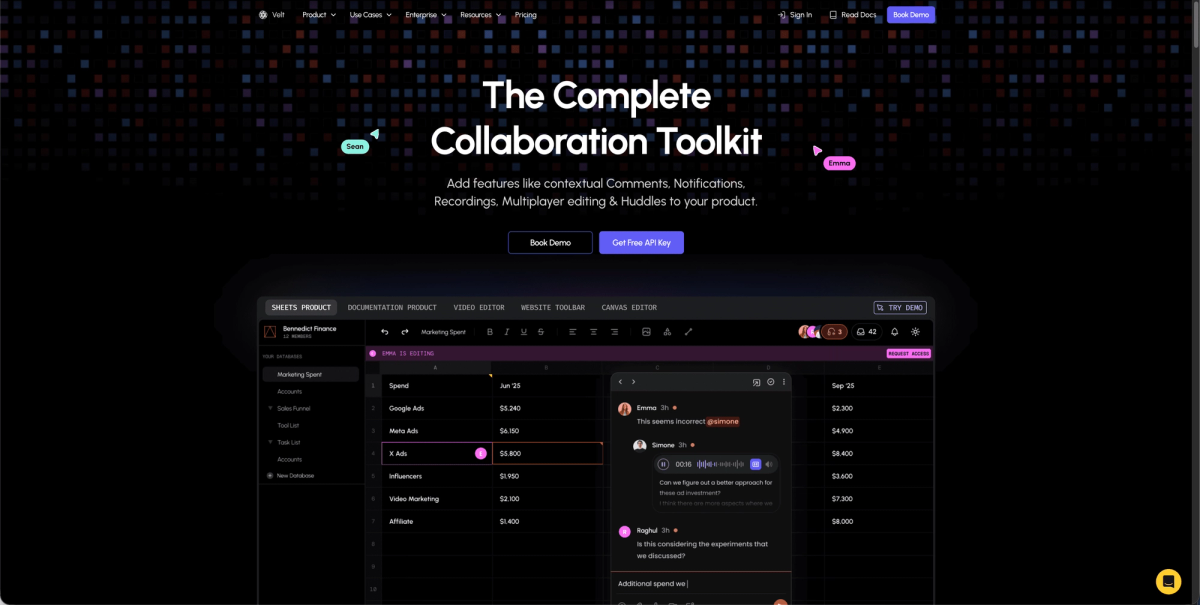
Canvas apps for flowcharts, mind maps, and node-based editors often need real-time collaboration. With Velt you can enable multiplayer editing in your canvas using the Yjs based CRDT library. Velt's SDK also enables Figma-style contextual comment feature on the canvas elements. Comment threads stay attached when the canvas pans or zooms. Live cursors show where collaborators click and drag, presence indicators display who's viewing the canvas, and in-app notifications alert users when someone comments on their work.
Final Thoughts on Canvas Frameworks for Node-Based Editors
Canvas libraries give you different tradeoffs between performance and flexibility. Node-based editors built with Konva or Fabric scale to thousands of objects, while React Flow offers easier DOM integration for complex UI inside nodes. Real-time collaboration becomes much simpler when your SDK understands canvas element positioning and zoom behavior.
FAQ
What's the difference between canvas and SVG for building interactive apps?
Canvas uses immediate mode rendering where you draw pixels directly and the browser doesn't remember individual shapes, while SVG uses retained mode where each element exists as a DOM object. Canvas maintains better performance with thousands of objects, making it better for flowcharts and node-based editors at scale.
How do interactive object models work in canvas libraries?
Interactive object models maintain a scene graph in JavaScript memory where each shape becomes an object with properties like position and size. Libraries like Konva.js and Fabric.js handle hit detection and transformations automatically, so you can manipulate objects with code like shape.set({ x: 100, y: 200 }) instead of manually tracking pixel coordinates.
When should I choose React Flow over a canvas-based library?
Choose React Flow when you need rich UI inside nodes (forms, buttons, complex layouts) and your graph has fewer than 500 nodes. For larger graphs with thousands of nodes or when you need better mobile touch performance, canvas libraries like Konva.js handle the scale better by painting directly to pixels.
How can I add real-time collaboration to a canvas app?
Velt's SDK binds comments to specific canvas elements using location IDs, keeps comment threads attached when the canvas pans or zooms, shows live cursors where collaborators are working, and sends in-app notifications when someone comments on your work.