Best Table Frameworks for Web Apps in January 2026
Compare AG Grid vs TanStack Table for web apps in January 2026. Learn when to use component-based or headless frameworks for data grids.
Every web app eventually needs tables. Whether you're showing user lists, financial data, or analytics dashboards, you need a best table framework for web apps that handles sorting, filtering, and pagination without slowing down your app. Some frameworks are component-based with pre-built UI, while others are headless and give you complete design freedom. In this blog, we break down what's worth using in 2026.
TLDR:
- Component-based frameworks like AG Grid ship with pre-built UI and styling for faster implementation, while headless libraries like TanStack Table give you complete design control at the cost of more upfront work.
- Server-side row models handle millions of rows by processing data on your backend and returning only requested pages, keeping browser memory constant regardless of dataset size.
- TanStack Table was built in TypeScript from the ground up, providing full type inference for column definitions and cell renderers that catch errors during development.
- Velt adds contextual comments and live cursors directly to table cells, letting teams discuss specific data points without switching to external chat tools.
Component-Based vs Headless Table Frameworks
When choosing a table framework for your web app, the first decision is architectural: component-based or headless. This choice shapes implementation speed and design flexibility.
Component-Based Frameworks
Component-based frameworks ship with pre-built UI components, styling, and visual elements. AG Grid, for example, provides a complete data grid library that works out of the box with sorting icons, filter menus, pagination controls, and cell renderers. The tradeoff is design constraints. While most offer theming and customization, you're working within their visual system. This works well when shipping quickly or when design requirements align with the framework's defaults.
Headless Libraries
Headless frameworks separate data logic from presentation. TanStack Table, for example, is purely a JavaScript library that handles sorting, filtering, pagination, and state management while you build the entire UI. You control every div, class name, and animation. This architecture requires more upfront work but gives complete design freedom. If your app has specific brand requirements or you're building something visually unique, headless libraries let you maintain full control without fighting pre-built components.
AG Grid for Enterprise Data Management
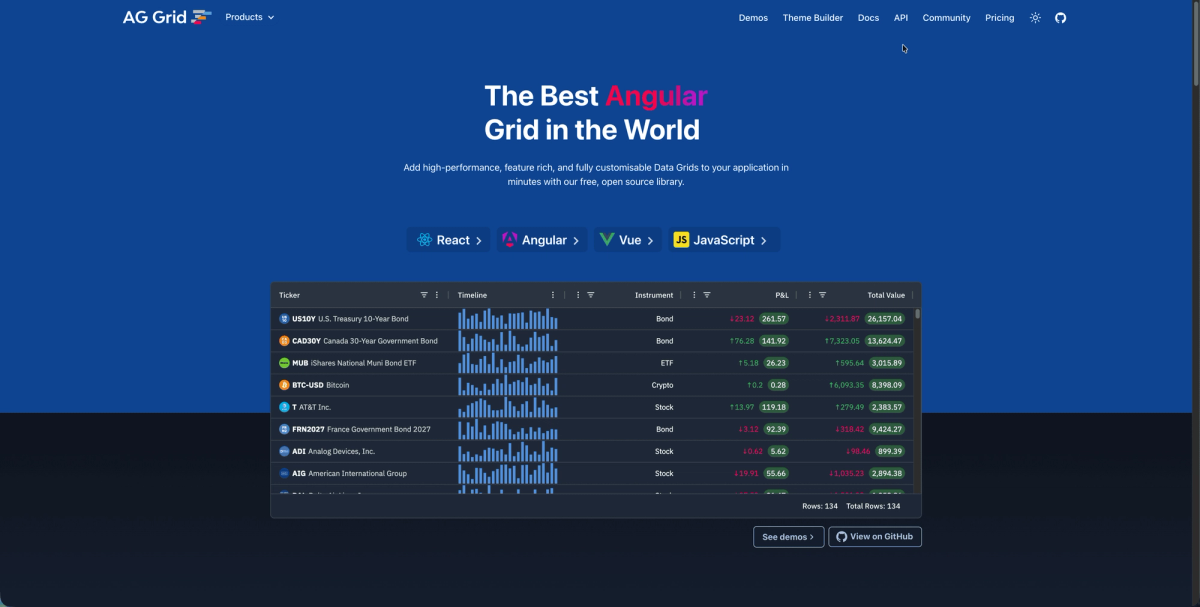
AG Grid has become a leading JavaScript data grid library for enterprise apps since its 2016 launch. The framework offers dual licensing: a free Community edition with core features and an Enterprise tier for advanced capabilities. The Community version handles standard requirements with sorting, filtering, pagination, and cell editing out of the box. The open-source repository shows consistent development, supporting React, Angular, Vue, and vanilla JavaScript.
But AG Grid also has an enterprise version. This enterprise license adds server-side row models that handle massive datasets without loading everything into memory. This prevents browser freezing when working with millions of rows. Other Enterprise features include pivot tables, integrated charting, Excel export, aggregation functions, row grouping, and master-detail views for hierarchical data.
AG Grid's TypeScript library support includes strong type definitions for configuration options and API methods, catching errors during development instead of production.
TanStack Table as a Headless Solution
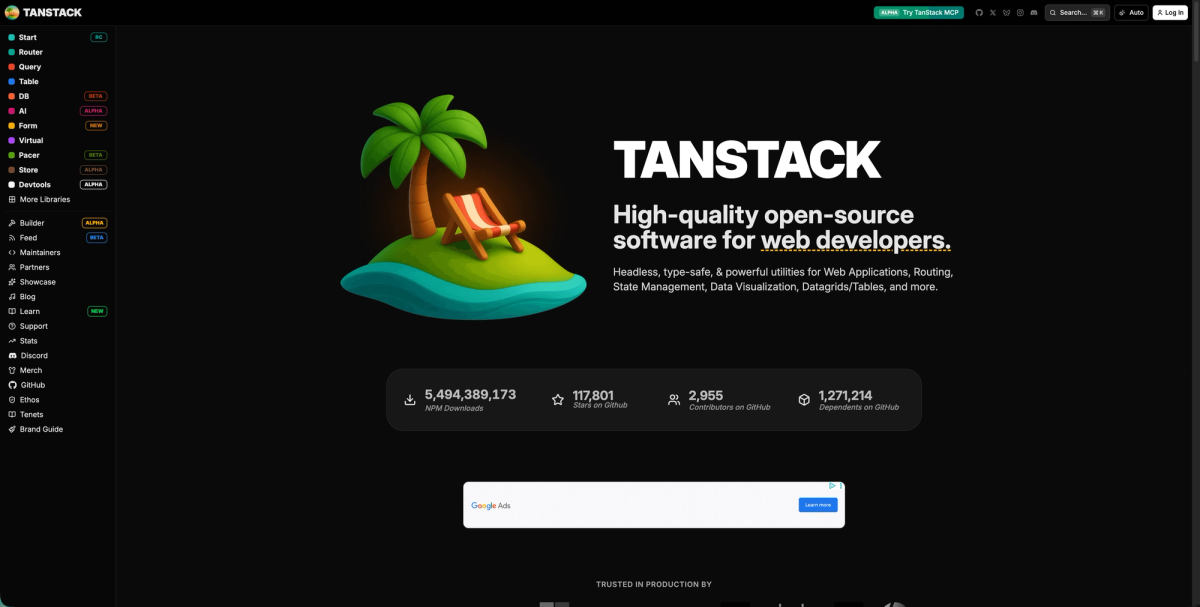
TanStack Table functions as a headless table library that ships without UI components. The framework architecture includes a framework-agnostic core with adapters for React, Vue, Solid, and Svelte. This TypeScript library provides composable hooks for sorting, filtering, pagination, column visibility, row selection, and grouping. You handle all rendering decisions, receiving sorted data arrays and state management logic to build table markup matching your design system. The JavaScript library manages state synchronization across features. When users sort filtered datasets with active pagination, TanStack Table coordinates these interactions while you control presentation.
Data Fetching Patterns in Table Frameworks
Data fetching architecture determines table performance at scale. The choice between client-side and server-side patterns depends on dataset size, query complexity, and latency tolerance.
Client-Side Fetching
Client-side patterns load the full dataset upfront, storing everything in browser memory. AG Grid's default row model works this way, handling sorting and filtering through JavaScript array operations. This keeps interactions instant since no network requests occur during user actions. The limitation surfaces around 10,000 rows, where initial load times stretch and memory consumption becomes noticeable. Apps with bounded datasets under this threshold benefit from simpler implementation and zero latency on interactions.
Server-Side Row Models
Server-side patterns shift processing to your backend. When users sort or filter, the table framework sends parameters to an API endpoint that returns only the requested page of results. AG Grid Enterprise and TanStack Table both support server-side modes. Your API receives sort columns, filter criteria, and pagination offsets, executing database queries that return 50-100 rows instead of thousands. This keeps memory constant regardless of total dataset size.
Routing Integration
Data fetching integrates with routing in frameworks like Next.js or Remix. You can prefetch table data during routing transitions, loading datasets before the page renders. This removes loading spinners when users navigate between views.
TypeScript Support and Type Safety
TypeScript support in table frameworks determines how many bugs you catch during development versus production. The difference between string-based configuration and fully typed APIs shows up immediately in editor autocomplete and compile-time errors.
- TanStack Table was rebuilt from scratch in TypeScript, making type inference core to its architecture. When you define column definitions with typed data models, the framework infers return types for accessor functions, cell renderers, and filter operations automatically. Your IDE catches mismatched property names and invalid data transformations before you run the code.
- AG Grid ships TypeScript definitions across both Community and Enterprise editions. Configuration objects, grid APIs, and event handlers include strict types that prevent common mistakes like passing incorrect column field names or calling deprecated methods.
Type safety extends to custom cell renderers and filter components. Framework-specific types for component props verify your rendering logic matches expected output formats while catching typos that would otherwise cause runtime errors.
Routing and State Management Integration
Understanding how your choice of table framework handles routing and state management is important. For example, table state stored in component memory disappears on refresh. Routing integration keeps filters, sorting, and pagination in URLs, making views shareable and bookmarkable.
URL-Based State Persistence
TanStack Table and AG Grid sync table state with query parameters. When users filter or sort, those changes update the URL. Sharing that link recreates the exact view. To take advantage of this, you can connect table state change events to your router's query parameter API. In Next.js, update searchParams when filters change. The table then reads initial state from URL parameters on mount.
Browser History Integration
History management lets users navigate table states with browser back/forward buttons. Each state change pushes a new history entry, so clicking back restores the previous filter instead of leaving the page. To adopt this approach, you will need to distinguish between push and replace operations. Typing in a search filter should replace history entries to avoid cluttering the stack. Pagination clicks push new entries since those are distinct navigation actions.
Performance Optimization Techniques
Let's face it, when you are dealing with large datasets, you'll need to pay special consideration to performance. Large datasets expose performance bottlenecks quickly. Table frameworks use several optimization techniques, such as virtualization and DOM recycling as well as bundle size and tree-shaking, to maintain smooth scrolling when rendering thousands or millions of rows.
Virtualization and DOM Recycling
Virtualization renders only visible rows instead of the entire dataset. When users scroll, the framework recycles DOM elements by updating their content instead of creating new nodes. This keeps the browser rendering a constant number of elements regardless of total dataset size. Companies like Bloomberg manage huge financial datasets with millions of rows using AG Grid's virtualization features. TanStack Table leaves virtualization to separate libraries like react-virtual.
Bundle Size and Tree-Shaking
Headless libraries ship smaller bundles since they exclude UI components and styling. TanStack Table's core weighs around 15KB minified and gzipped. AG Grid Community starts larger but supports tree-shaking to remove unused features. To reduce your bundle size, you should import only required modules to reduce bundle impact. For example, if you're not using pivot tables or master-detail features, exclude those imports to keep the JavaScript payload minimal.
Framework Compatibility and Integration
Framework integration determines how naturally a table library fits into your existing codebase. Component-based frameworks ship separate packages per framework, while headless libraries use adapter layers over a universal core.
- AG Grid maintains dedicated implementations for React, Angular, and Vue. Each package wraps the core engine in framework-specific components that follow native conventions. The React version uses hooks for grid API access and lifecycle management. Angular integration uses dependency injection and change detection. Vue wrappers support both Options API and Composition API patterns. You'll install
ag-grid-react,ag-grid-angular, orag-grid-vueas separate packages. - TanStack Table uses a framework-agnostic core with thin adapter packages. The core logic for sorting, filtering, and pagination lives in
@tanstack/table-core, with framework packages like@tanstack/react-tableand@tanstack/vue-tableproviding hooks or composables that expose that logic. This keeps the core smaller and provides consistent behavior across frameworks. When TanStack fixes a sorting bug, all framework adapters benefit immediately. The tradeoff is less deep integration with framework-specific features.
For Svelte and Solid, TanStack Table offers first-class support through dedicated adapters. AG Grid supports these frameworks through community wrappers instead of official packages, which can lag behind core updates.
Side-by-Side Comparison
For a quick overview of these two table frameworks, we put together a side-by-side comparison table below.
| Framework | Type | Best For | Key Features | TypeScript Support | Pricing Model |
|---|---|---|---|---|---|
| AG Grid | Component-based | Enterprise data management with large datasets | Pre-built UI components, sorting icons, filter menus, pagination controls, cell renderers, server-side row models for millions of rows, pivot tables, Excel export, row grouping | Ships TypeScript definitions across Community and Enterprise editions with strict types for configuration objects, grid APIs, and event handlers | Free Community edition with core features, paid Enterprise tier for advanced capabilities |
| TanStack Table | Headless | Apps requiring complete design control and custom branding | Framework-agnostic core with composable hooks for sorting, filtering, pagination, column visibility, row selection, and grouping. No pre-built UI components | Built from scratch in TypeScript with automatic type inference for column definitions, accessor functions, and cell renderers | Free and open-source |
Collaborative Features in Table Applications
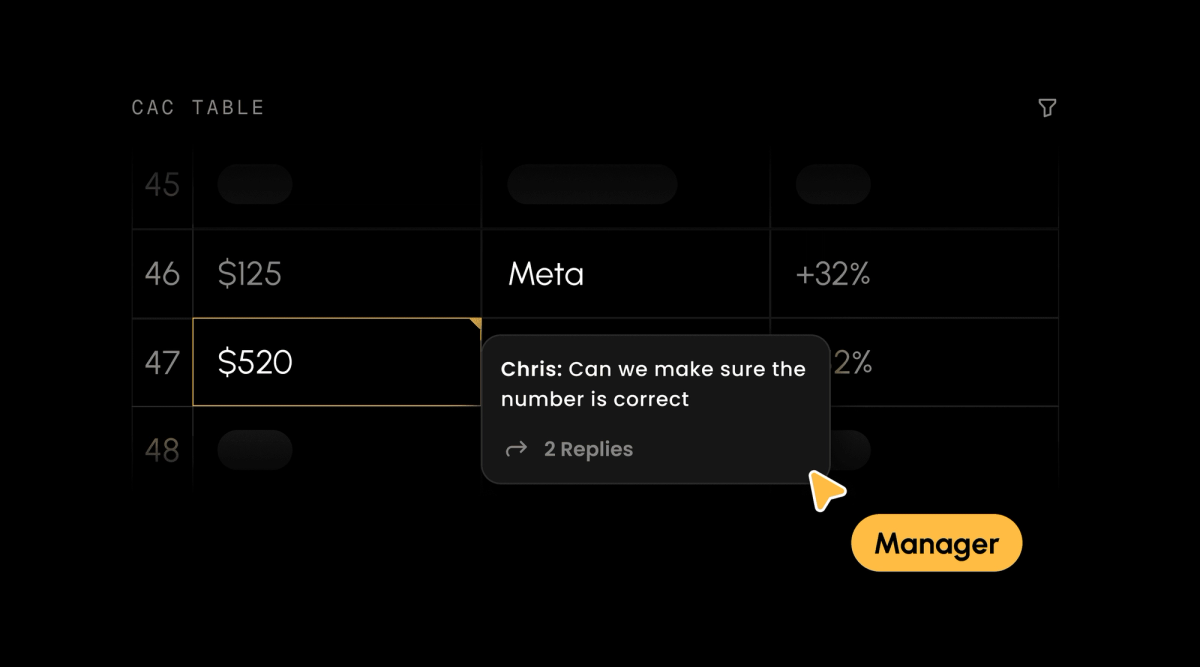
Integrating collaboration features in your table applications can create a much more dynamic and engaging user experience. For example, data grids with real-time features let teams discuss numbers and coordinate decisions without switching to separate chat tools.
Velt's SDK adds collaboration directly to table interfaces. Contextual comments attach to specific cells or rows, keeping discussions tied to the data. When someone questions a figure in row 47, the thread stays on that cell instead of a separate channel. Live cursors show which rows colleagues are looking at. Presence indicators display who's viewing the table, preventing duplicate work when multiple analysts review the same dataset. Analytics apps use Velt to let users annotate charts and discuss metrics without leaving the dashboard. Comments inherit your app's existing permissions, keeping sensitive financial rows visible only to authorized users.
By integrating Velt, into your table application, teams can resolve questions inline instead of screenshotting table rows to discuss elsewhere. And, comment state persists across page navigation as users move between different data views.
Final Thoughts on Building Data Tables for Web Apps
Your table framework decision really comes down to design control versus implementation speed. Component-based libraries like AG Grid get you running quickly with enterprise features ready to go, while headless options like TanStack Table give you complete freedom over every visual element. Both handle sorting, filtering, and state management well. Choose based on your design requirements and timeline, then layer in collaboration features when your team needs to discuss data without leaving the table.
FAQ
What's the main difference between component-based and headless table frameworks?
Component-based frameworks like AG Grid ship with pre-built UI components and styling that work immediately, while headless libraries like TanStack Table provide only data logic and state management, requiring you to build all visual elements yourself.
When should I use server-side data fetching instead of client-side?
Switch to server-side fetching when your dataset exceeds 10,000 rows or when initial load times become noticeable. Server-side patterns keep memory usage constant by loading only the visible page of results instead of the entire dataset.
How does TypeScript support differ between AG Grid and TanStack Table?
TanStack Table was built from scratch in TypeScript with automatic type inference for column definitions and accessor functions, while AG Grid ships TypeScript definitions as a layer over its JavaScript core. Both catch configuration errors during development, but TanStack Table's type system infers more types automatically.
Can I sync table state with URLs to make views shareable?
Yes, both TanStack Table and AG Grid support syncing filters, sorting, and pagination to URL query parameters. Connect table state changes to your router's query parameter API so users can bookmark or share links that recreate exact table views.
How do I add real-time collaboration features to data grids?
Velt's SDK adds contextual comments, live cursors, and presence indicators directly to table interfaces. Comments attach to specific cells or rows, keeping discussions tied to the data while inheriting your app's existing permissions model.