


Build Timestamped Approval Workflows in SaaS (July 2026)
Build compliant, timestamped approval workflows in your SaaS product. This July 2026 guide covers attribution, audit trail architecture, and implementation with Velt.

Most in-product approval flows are just glorified comment boxes. They capture feedback but not decisions, and they definitely don't produce the kind of attributed approval records that hold up in a compliance review. If your product touches financial sign-off, content review, or anything subject to compliance requirements, your users need real review and approval infrastructure with a timestamped audit trail. A resolved thread won't cut it. Here's what that actually takes to build.
TLDR:
- A timestamped approval workflow requires 3 things: explicit sign-off states, assignment routing, and an attributed audit record tied to a specific version.
- SOC 2, HIPAA, and GDPR all require logged, attributed, tamper-evident approval records. Manual Slack-based approvals satisfy none of those requirements.
- Store approval timestamps in UTC ISO 8601 format and attribution by stable user ID, not display name. Names change; records break.
- Building approval infrastructure yourself means solving UTC normalization, race conditions, and permission checks across months of maintenance sprints.
- Velt is review and approval infrastructure for SaaS products, shipping comments, approval workflows, presence, notifications, audit trails, and recording as a JavaScript SDK.
What Is a Timestamped Approval Workflow?
A timestamped approval workflow is a structured sign-off process where each decision is recorded with the reviewer's identity, the choice they made, and the exact moment it happened. That distinction from a task tracker or a comment thread matters more than it sounds.
Three things have to be present for a workflow to qualify:
- Explicit sign-off states (pending, approved, rejected) that mark where an item sits in the review chain
- Assignment routing that moves the right item to the right reviewer at the right step
- A timestamped audit record tying each decision to a specific user and version
In B2B SaaS contexts like financial sign-off, compliance review, or content approval chains, knowing who approved what and when is the entire value. A comment saying "looks good" buried in Slack gives you none of it.
Types of Approval Workflows
Approval workflows aren't one-size-fits-all. The right structure depends on who's reviewing, what's being approved, and what your compliance requirements look like. Here are the three approval workflow patterns that show up most often in SaaS products:
- Sequential approval chains require each approver to sign off before the next person in line sees the request. Legal reviews a contract, then finance, then the VP. Every step is timestamped and attributed, so the audit trail shows exactly who acted when.
- Parallel approvals let multiple reviewers act simultaneously. All stakeholders get notified at once, and the request advances once a threshold is met, whether that's unanimous sign-off or a majority.
- Conditional approvals route requests based on rules. A budget request under $10k goes to a team lead; over $10k triggers a CFO review automatically. The branching logic lives in the workflow, so reviewers never have to manually escalate.
What Attributed Approval Records Must Capture
Every attributed approval record needs a defined schema. "Approved at 14:32" tells you almost nothing useful in a downstream audit. Attribution means the record ties back to a verified, unique identity from your auth system, not a display name, a shared login, or a system user with no named owner.
| Field | Format or Values | Why it matters |
|---|---|---|
| User identity | Verified user ID from your auth system | Prevents shared accounts from obscuring who acted |
| Timestamp | UTC, ISO 8601 | Eliminates timezone ambiguity across distributed reviewers |
| Action type | approved, rejected, delegated, revoked | Makes records queryable by outcome and by time |
| Source record ID | Document or entity ID, pinned to version | Links the decision to a specific state of the work |
| Previous and new state | State transition (e.g., pending to approved) | Lets you reconstruct the full decision sequence, and the final result |
Why Timestamps and Attribution Matter for Compliance
Audit trails are table stakes, not a nice-to-have, especially in industries with compliance requirements. Any SaaS product where multiple people review, approve, or sign off on content needs a clear record of who did what and when. Without it, disputes about whether something was approved, by whom, and under what version of the content become impossible to resolve cleanly.
The compliance case is straightforward: regulations like SOC 2, HIPAA, and GDPR all require organizations to show that access and approval actions were logged, attributed, and tamper-evident. SOC 2 audit trail requirements make clear that evidence of activity must be detailed, structured, and retrievable on demand. Adding an audit trail to your product gives it the data layer to satisfy those requirements without your customers having to build their own logging infrastructure on top of yours.
Manual vs. Automated Timestamped Approvals

When teams handle approvals manually, the process usually looks like this: someone sends a Slack message or email asking for sign-off, a reviewer responds with "approved" or a thumbs-up, and that exchange gets buried in a thread nobody can find six months later. The gap between manual review vs automated review becomes clear fast. There's no timestamp tied to a specific document state, no record of who saw what version, and no structured audit trail.
Automated timestamped approvals work differently. The approval action is captured at the infrastructure level, bound to a specific document or element, and stored with the approver's identity and an exact timestamp. That record exists independently of any chat tool or email client.
Here's a quick comparison of how the two approaches hold up across the factors that matter most in practice:
| Factor | Manual Approvals | Automated Timestamped Approvals |
|---|---|---|
| Timestamp accuracy | Approximate, based on message send time | Exact, server-generated at action time |
| Approver attribution | Whoever sent the message | Authenticated user identity, tied to your auth system |
| Audit trail | Scattered across Slack, email, docs | Centralized, queryable, exportable |
| Version binding | Rarely captured | Bound to document state at approval time |
| Dispute resolution | Requires manual archaeology | Retrievable in seconds |
| Compliance readiness | Requires extensive manual prep | Structured data, ready for review |
The gap widens fast as your team or user base grows. One approval slip in a manual process is recoverable. A pattern of unattributed sign-offs across hundreds of documents is a compliance or legal problem waiting to surface. That's why review and approval workflows are a missing layer in many SaaS products.
Storing Approval Audit Data: Architecture Tradeoffs
When you add timestamped, attributed approvals to your product, you need to decide where that data actually lives. The choice shapes your query performance, compliance posture, and how much you build versus maintain.
There are three common approaches teams land on:
- Store approval events in your existing relational database alongside your core app data. This keeps joins simple and transactions atomic, but your schema carries the weight of an audit trail that can grow fast in high-volume workflows.
- Write approval events to a dedicated append-only log or time-series store. Reads are fast, the immutability story is clean, and you get a natural audit trail, but now you're operating a second data store with its own backup and retention policies.
- Offload the entire approval state layer to a purpose-built approval workflow SDK like Velt, which stores timestamped, attributed approval events and surfaces them through an API your app queries. Your database stays focused on your core domain, and the audit trail ships without you writing the schema, the indexing logic, or the retention rules.
Most teams underestimate the second and third concerns. Timestamps need to be stored in UTC with enough precision to survive timezone edge cases in compliance reviews. Best practices for database timestamps consistently point to UTC storage with local conversion only at the application edge. Attribution metadata, who approved, from which session, needs to be queryable by user ID and by document ID without full table scans. If you're building this yourself, plan for indexes on at least three columns from day one.
The SDK approach trades schema control for speed. Velt handles the storage architecture for approval audit trail data, so the tradeoff is real: you get less control over the raw data layer, but you skip months of work building indexing, retention, and query infrastructure that your core product doesn't compete on.
How to Implement a Timestamped Approval Workflow in Your SaaS Product
Velt's SDK gives you timestamped, attributed approvals without building the state management, audit logging, or UI from scratch.
Here's the basic setup. First, install the SDK and wrap your app:
npm install @veltdev/react
import { VeltProvider } from '@veltdev/react';

function App() {
  return (
    <VeltProvider apiKey="YOUR_API_KEY">
      <YourApp />
    </VeltProvider>
  );
}
Then identify your authenticated user so every approval action gets attributed:
import { useIdentifyuseVeltClient } from '@veltdev/react';

const client = useVeltClient();

client.identify({
  userId: 'user-123',
  name: 'Sarah Chen',
  email: 'sarah@yourcompany.com',
});
From there, Velt automatically stamps every approval, rejection, or comment with the acting user's identity and a server-side timestamp. You don't manage that state yourself.
To render an approval component tied to a specific document or asset:
import { VeltComments, VeltPresence } from '@veltdev/react';

function DocumentReview({ documentId }) {
  const client = useVeltClient();
  client.setDocument(documentId);

  return (
    <div>
      <VeltComments />
    </div>
  );
}
Every action taken inside that document context gets written to Velt's audit trail with three things: who acted, what they did, and when. Your backend can query that trail at any time via the Activity Logs REST API, or you can surface it in-product using Velt's prebuilt audit log UI.
Common Challenges When Building Approval Infrastructure
Building approval infrastructure from scratch is harder than it looks. Here are the pitfalls most teams hit before they give up and ship something half-baked.
- Timestamps get stored inconsistently across services, which means your audit trail shows approval times that don't match what users actually did. UTC normalization sounds simple until you're debugging a compliance report at 2am.
- Attribution breaks when users change display names or emails. If you store a name string instead of a stable user ID, your historical records become unreliable the moment someone updates their profile.
- Review states in your app need to stay consistent. The document record says approved. The activity log says pending. Now you have a support ticket and no single source of truth.
- Permission checks get bolted on after the fact. Teams build the happy path first, then realize approvers can approve their own work, or that revoked users still appear in audit logs. This is one reason approval workflows belong in your product, not layered on afterward.
- Scaling concurrent approvals without race conditions requires careful locking logic that most teams underestimate until production traffic exposes it.
None of these are unsolvable. But each one adds weeks, and they tend to surface one after another. Velt's SDK handles UTC normalization, state consistency, and concurrent approval logic out of the box, so teams building on it skip most of this queue. The real cost, when building from scratch, is spread across months of maintenance, not a single build sprint.
How Velt Provides Review and Approval Infrastructure for SaaS Products
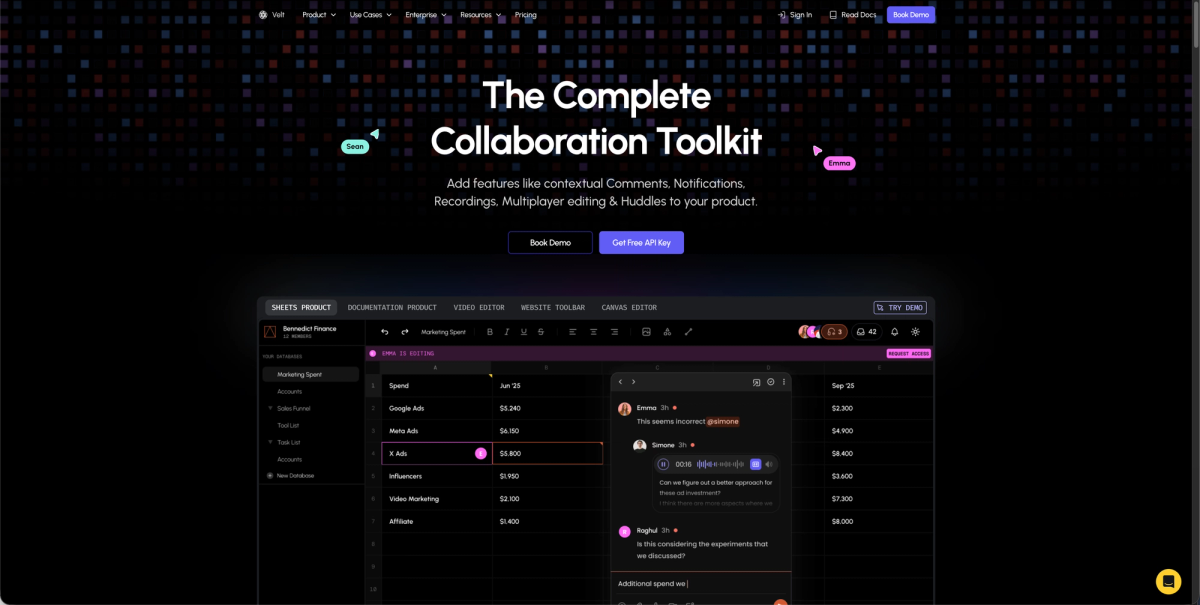
Velt is review and approval infrastructure for SaaS products, shipping comments, approval workflows, presence, notifications, audit trails, and recording as a JavaScript SDK your team drops into an existing product. For timestamped, attributed approvals, Velt handles the parts that take months to build correctly: cryptographic timestamps on every state change, reviewer identity tied to your existing auth system, and a full audit trail that persists without any custom backend work on your end.
Final Thoughts on Attributed Approval Workflows in SaaS
A solid timestamped approval workflow is one of those things that feels optional until it suddenly isn't. Whether your trigger is a compliance audit, a legal dispute, or a customer asking who approved what, the data either exists or it doesn't. Velt's approval audit trail SDK gives you that record without the months of backend work. See what that looks like for your product by booking a demo.
FAQ
What is a timestamped approval workflow and how does it differ from a comment thread?
A timestamped approval workflow is a structured sign-off process where each decision is recorded with the reviewer's verified identity, the action taken, and a server-generated timestamp tied to a specific document version. A comment thread captures discussion; a timestamped approval workflow captures decisions, with explicit states like pending, approved, or rejected that make the record queryable and audit-ready.
Should I build approval audit trail infrastructure myself or use an SDK like Velt?
Building it yourself means owning UTC normalization, stable user ID storage, append-only schema design, and indexing on at least three columns from day one. Most teams underestimate this by months. An approval audit trail SDK like Velt handles storage architecture, timestamping, and attribution out of the box, so your engineering effort goes toward your core product instead of infrastructure that doesn't set it apart.
How do I add timestamped, attributed approvals to a SaaS product using Velt?
Install the Velt SDK, wrap your app in VeltProvider, and call client.identify() with a stable user ID from your auth system. From that point, every approval, rejection, or comment action inside a setDocument() context gets written to the audit trail automatically with the acting user's identity and a server-side timestamp, no custom state management required.
What fields does a compliant attributed approval record need to capture?
At minimum: a stable user ID from your auth system, a UTC timestamp in ISO 8601 format, the action type (approved, rejected, delegated, revoked), the source record ID pinned to a specific version, and the state transition showing what changed. Storing a display name instead of a stable user ID is the most common attribution mistake, and it makes historical records unreliable the moment someone updates their profile.
Human vs. AI reviewers in an approval workflow: can both appear in the same audit trail?
Yes. Velt's Declarative Approval Engine routes documents through multi-step pipelines mixing human reviewers and AI agents, and each participant appears in the audit trail with its own identity, action type, and timestamp. This matters for compliance review chains where an AI agent flags potential violations and a human approver signs off: both decisions need to be attributed and timestamped in the same queryable record.